

Clients do not get the emails
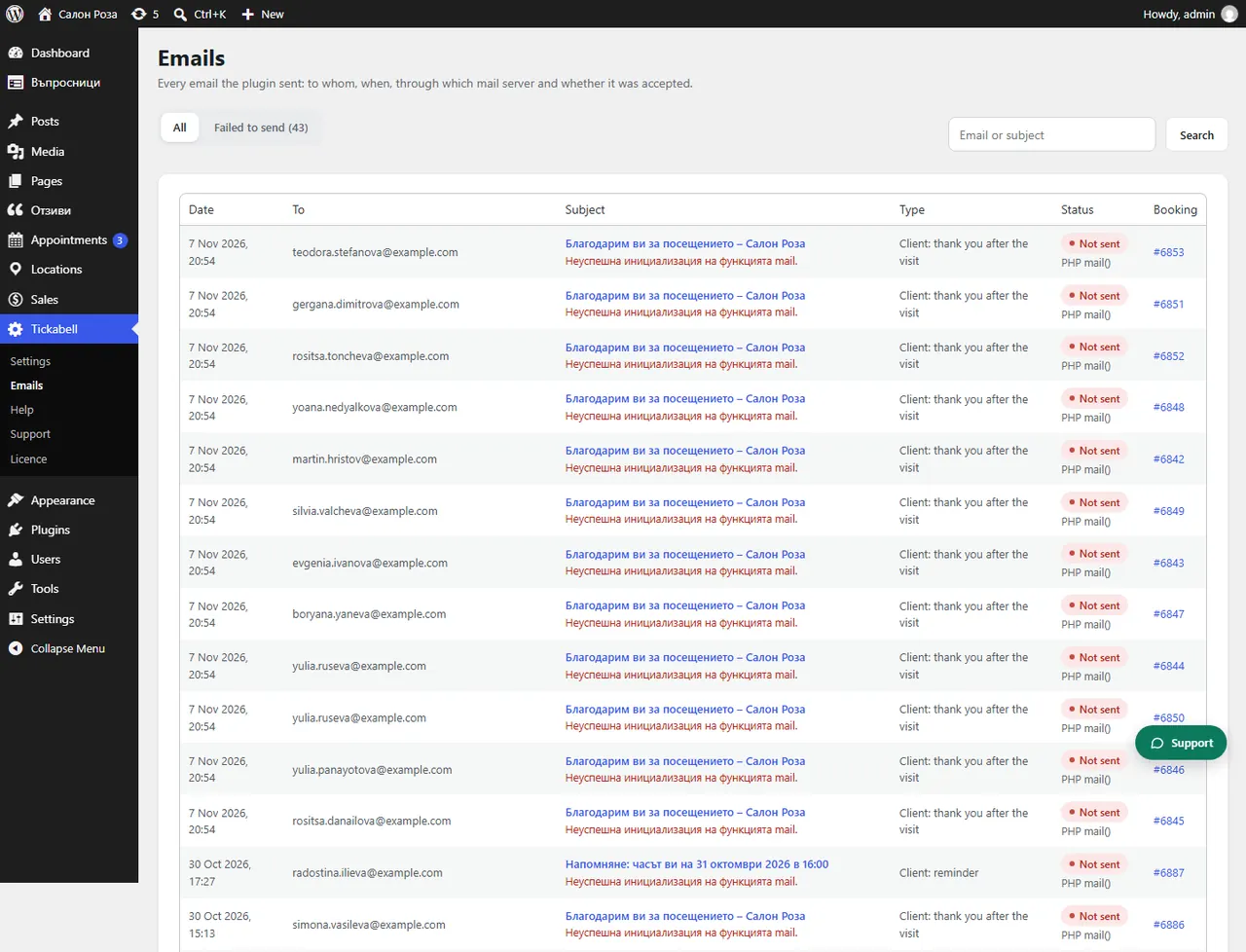
First check in Tickabell › Emails whether the email shows “Email sent”. If it shows “Not sent”, the website cannot send mail. If it was sent, it is most often in the client's spam folder or the address is wrong.
Where: Tickabell›Emails
Steps
- Open Tickabell › Emails and search for the client's email.
- If the status is “Not sent”, open the entry and look at “Error”. Install an SMTP plugin, for example FluentSMTP, with the mailbox of your domain.
- If the status is “Email sent”, check that the client's address is correct and ask them to look in “Spam” and “Promotions”.
- Fix the warnings about SPF and DMARC, if there are any.
- Send the email again from the entry or from the booking.
Good to know“Email sent” means the mail server accepted the email. Whether it reached the inbox only the client's mail service can show.
Related articles
- The emails go to “Spam”
- What do I do with emails that were not sent?
- What does the warning about SPF, DMARC and SMTP mean?
Was this article helpful?