

How do I make the JSON key in Google?
In Google Cloud create a project, switch on the Google Calendar API and make a service account with a JSON key. Download the file and upload it to Tickabell. This is done once for the website.
Where: Tickabell›Settings›Google Calendar›Service account JSON
Steps
- Open console.cloud.google.com and create a project.
- Switch on the Google Calendar API for the project.
- Open Service accounts › Create service account, create the account and open it.
- Open Keys › Add key › JSON. The file downloads by itself.
- In Tickabell › Settings › Google Calendar press “Choose .json key file”, choose the file and save.
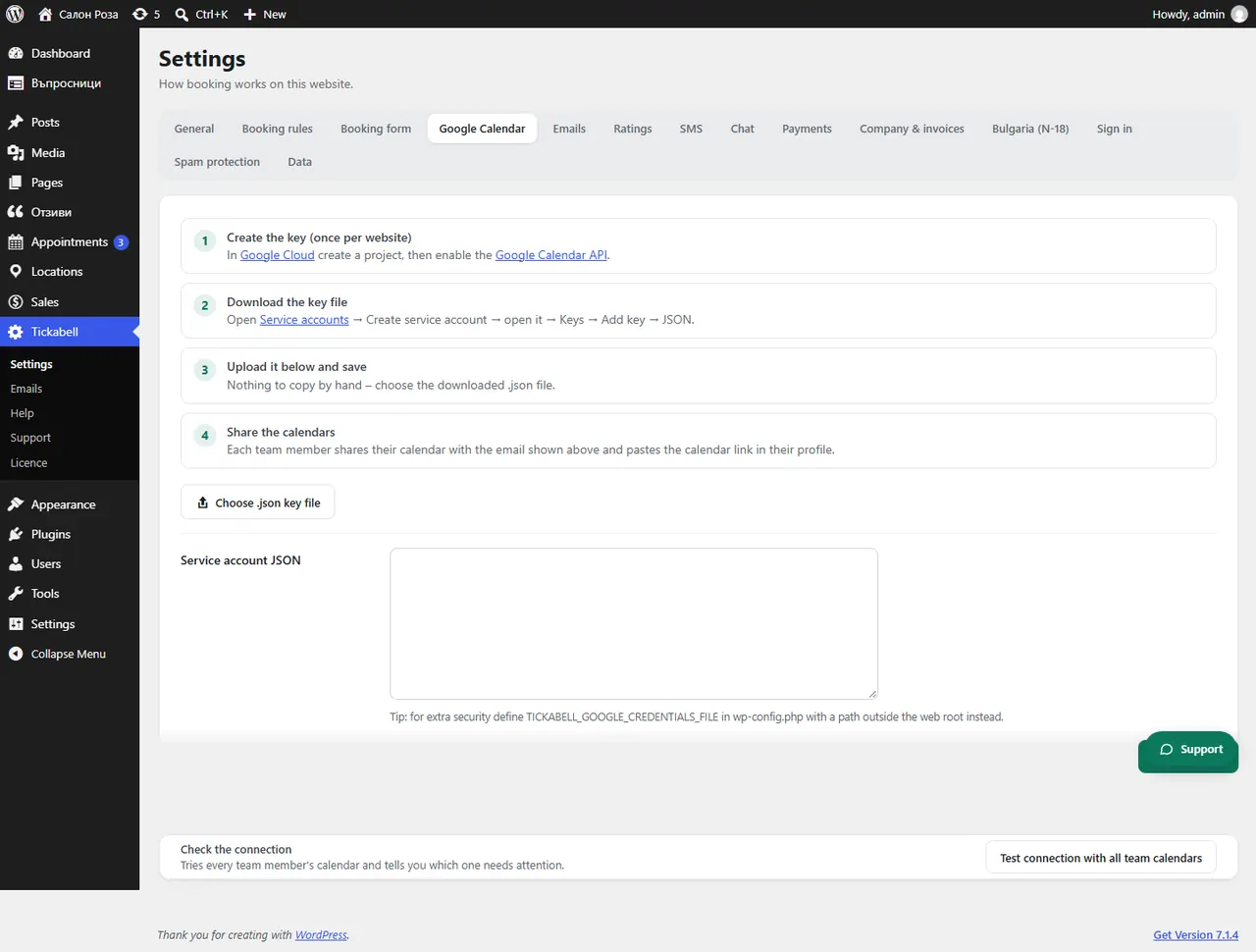
Good to knowNothing is copied by hand. Keep the file safe like a password. For more security, your developer can set its path in wp-config.php with TICKABELL_GOOGLE_CREDENTIALS_FILE.
Related articles
Was this article helpful?