

What does the setup wizard do?
The wizard sets up the basics in five short steps: your business, the team, the services, the rules and the emails. It opens by itself after installation.
Where: Appointments setup
What is here
- Your business: the type of business and the design of the form. Ready services and names are suggested for each type, such as “Hairdresser” or “Doctor”.
- Team: which people take appointments.
- Services: names, prices and durations.
- Rules & emails: how appointments are confirmed and which address the emails come from.
- Done: what you can switch on later, such as Google Calendar, online payment and company details.
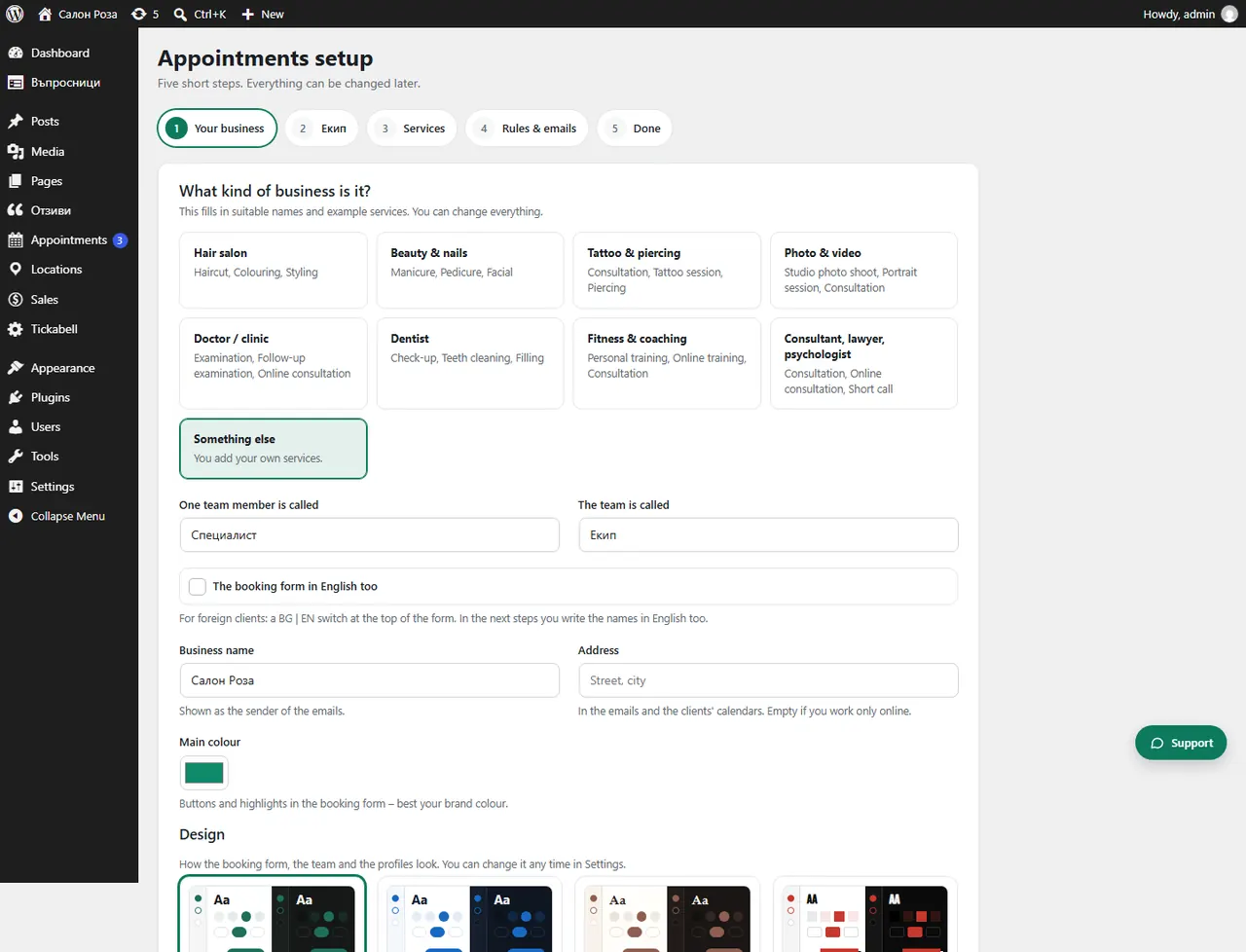
Good to knowEach step is saved with “Save and continue”. If you press “Skip – I will set it up myself”, you set everything up from the menus.
Related articles
Was this article helpful?