

How do I add a second location?
In Locations › Locations press “Add a place”. Each location has its own calendar, team, services, booking link and managers. Clients choose the location when they book.
Where: Locations›Locations›Add a place
Steps
- Open Locations › Locations and press “Add a place”.
- Fill in the name, address, phone and, if you like, the email and the map link.
- Press “Add the place”.
- Choose who works there: open each person and set their days under “Locations”.
- Choose which services are offered at the location.
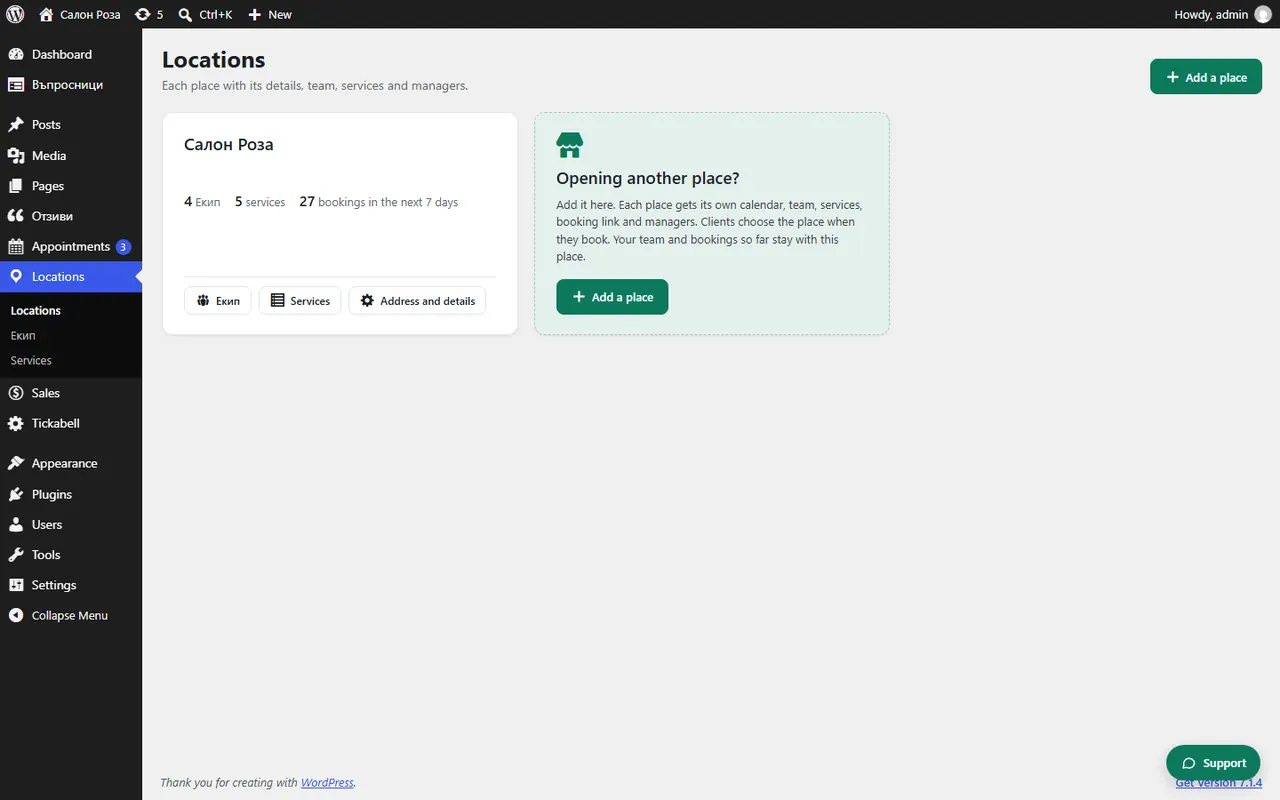
Good to knowWhen you add the second location, your current address becomes the first location, with the whole team and all bookings so far. Each location has a “Booking link of this place” for its Google profile, social networks or a poster.
Related articles
Was this article helpful?