

How do I change the word “Team member”, for example to “Bay”?
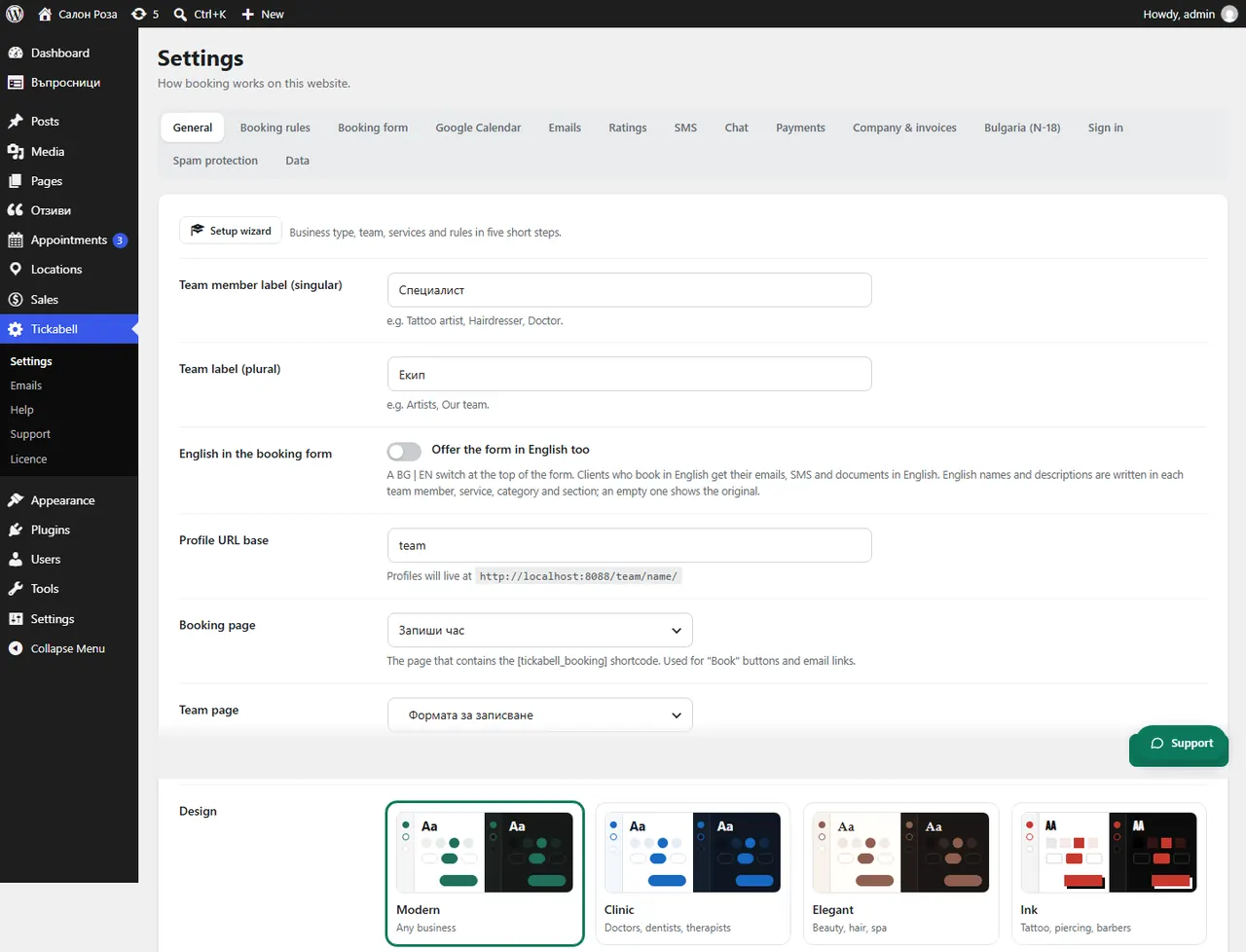
In Tickabell › Settings › General change the label for a team member and for the team. The new word appears in the booking form and in the menu.
Where: Tickabell›Settings›General
Steps
- Open Tickabell › Settings › General.
- In “Team member label (singular)” write, for example, “Bay”, “Court” or “Doctor”.
- In “Team label (plural)” write the plural, for example “Bays”.
- If the form is also in English, fill in the English words too.
- Save. Clients now see, for example, “Choose a bay”.
Related articles
Was this article helpful?