

How do I make a discount code?
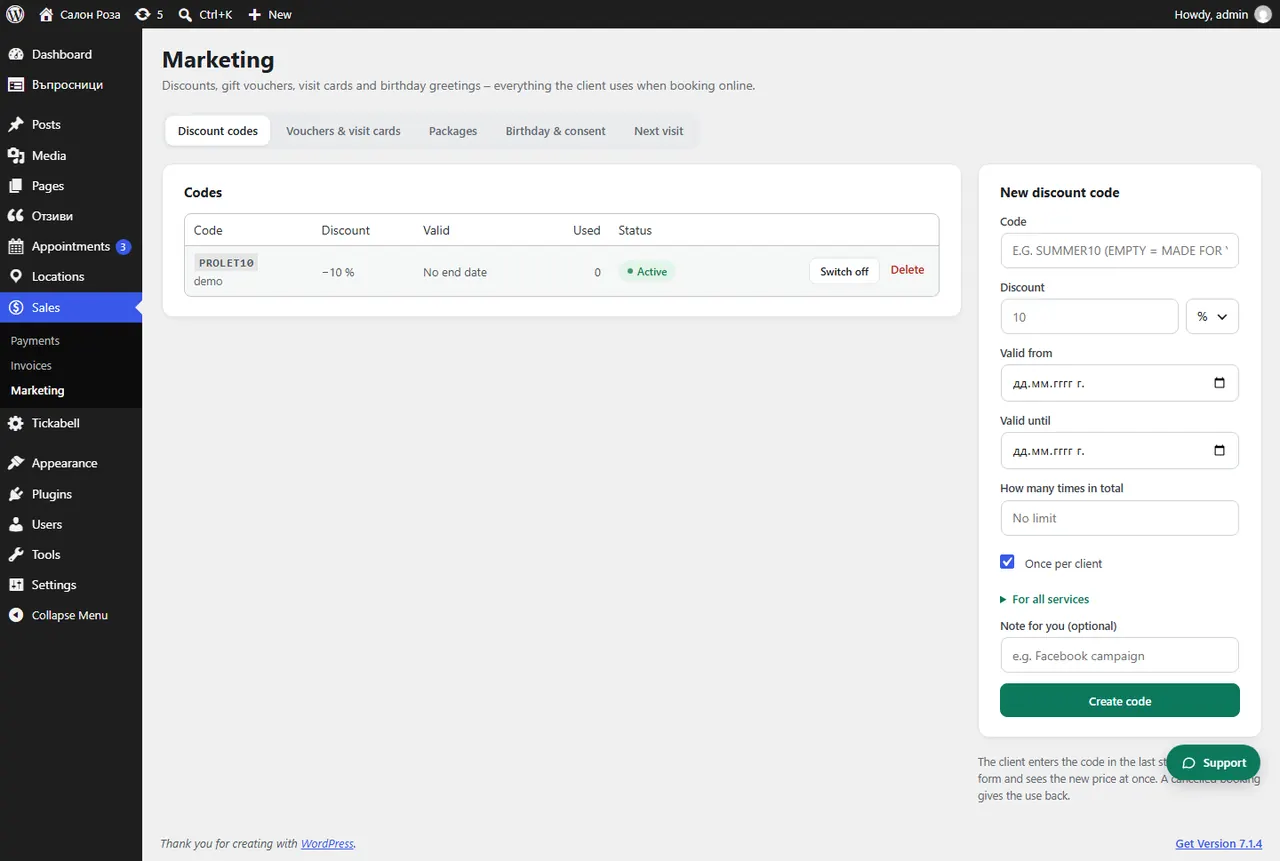
In Sales › Marketing › Discount codes fill in the code, the discount and the dates and press “Create code”. The client enters the code in the last step of the form and sees the new price at once.
Where: Sales›Marketing›Discount codes
Steps
- Open Sales › Marketing › Discount codes.
- In “Code” write the code, for example SUMMER10. If it is empty, a code is made for you.
- Enter the discount in % or in euro.
- Set “Valid from”, “Valid to” and “How many times in total”. Tick “Once per client” if needed.
- Tick the services. With nothing ticked, the code works for all.
- Press “Create code”.
Good to knowWhen an appointment is cancelled, the use of the code is given back. A code that has been used cannot be deleted, only switched off.
Related articles
Was this article helpful?