

How do I add chat buttons (WhatsApp, Viber, Messenger…)?
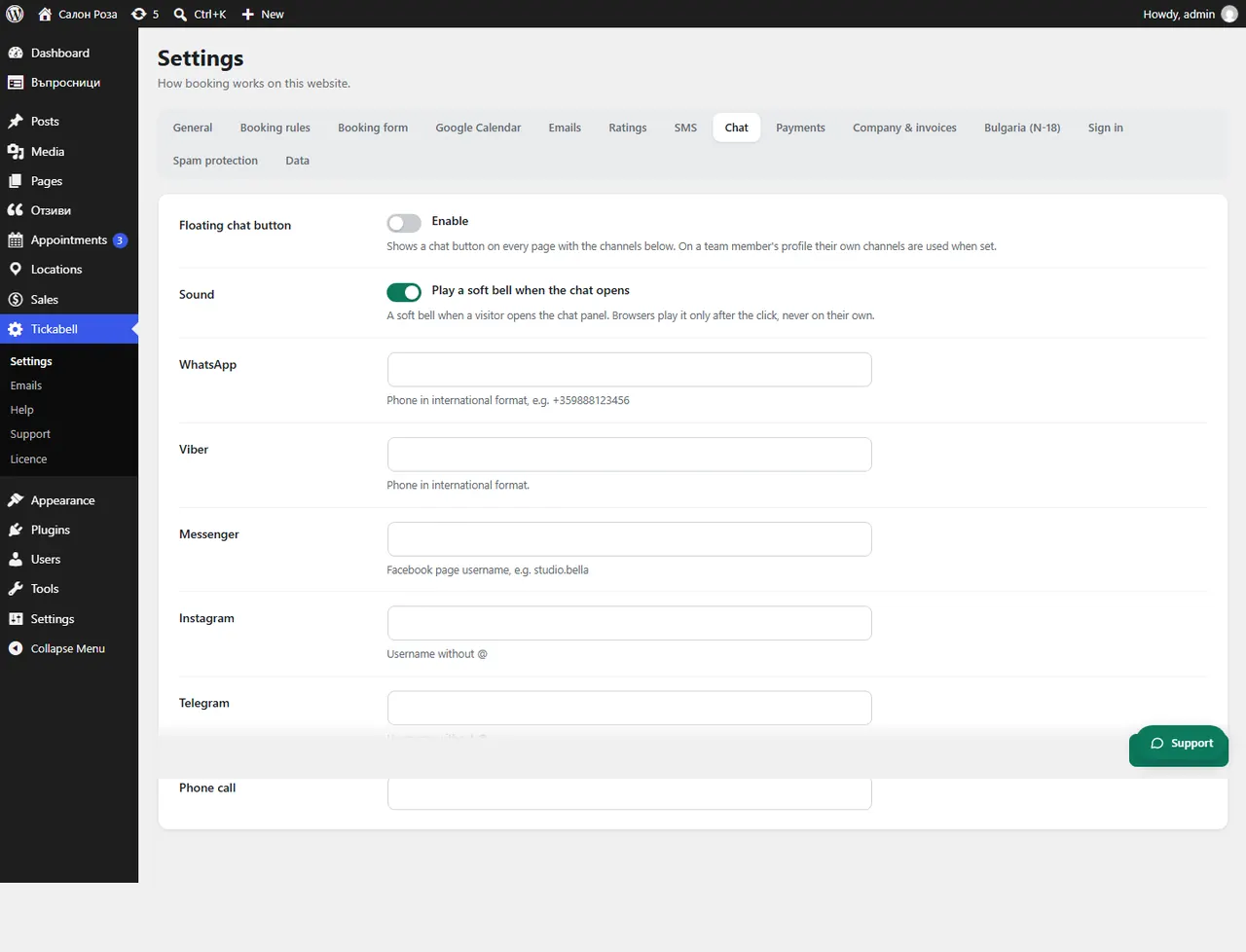
In Tickabell › Settings › Chat switch on the “Floating chat button” and fill in the channels. The button is shown on every page of the website.
Where: Tickabell›Settings›Chat
Steps
- Open Tickabell › Settings › Chat.
- Under “Floating chat button” tick to switch it on.
- Fill in the channels: WhatsApp and Viber with a phone in international format (+359888123456), Messenger with the user name of the Facebook page, Instagram without @, Telegram, and a phone for calls.
- If you like, switch on “Sound”: a soft bell when a visitor opens the chat.
- Save.
Good to knowA team member's profile shows their own channels, if they are filled in. You can also put the buttons on a particular page with
[tickabell_chat].Related articles
- How do I add social networks and chat to the profile?
- How do I show the team, ratings, portfolio and social networks (shortcodes)?
Was this article helpful?