

How do I make a service an online meeting?
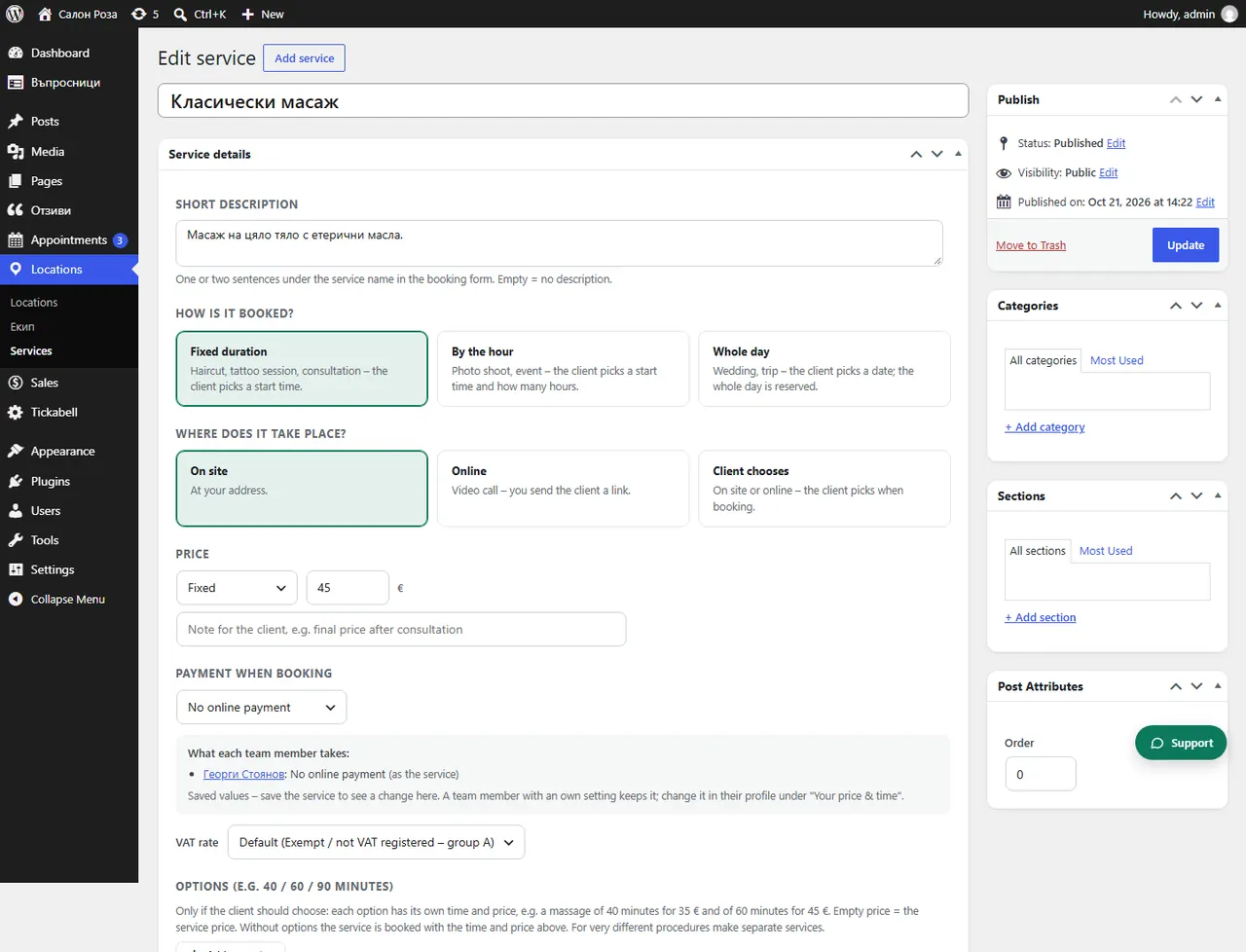
In the service, under “Where does it take place?”, choose “Online” or “Client chooses”. The client gets the meeting link by email.
Where: Locations›Services›(service)›Service details›Where does it take place?
Steps
- Open the service in Locations › Services.
- Under “Where does it take place?” choose “Online” or “Client chooses”.
- Save.
- Enter a fixed link in the team member's profile, under “Online meeting link”, or enter a link in each booking.
Good to knowOnline appointments without a link are shown on the Dashboard, under “Waiting for action”, until you enter the link.
Related articles
- How do I add an online meeting link to an appointment?
- How do I add an online meeting link for a team member?
Was this article helpful?