

How do I hide or show a rating?
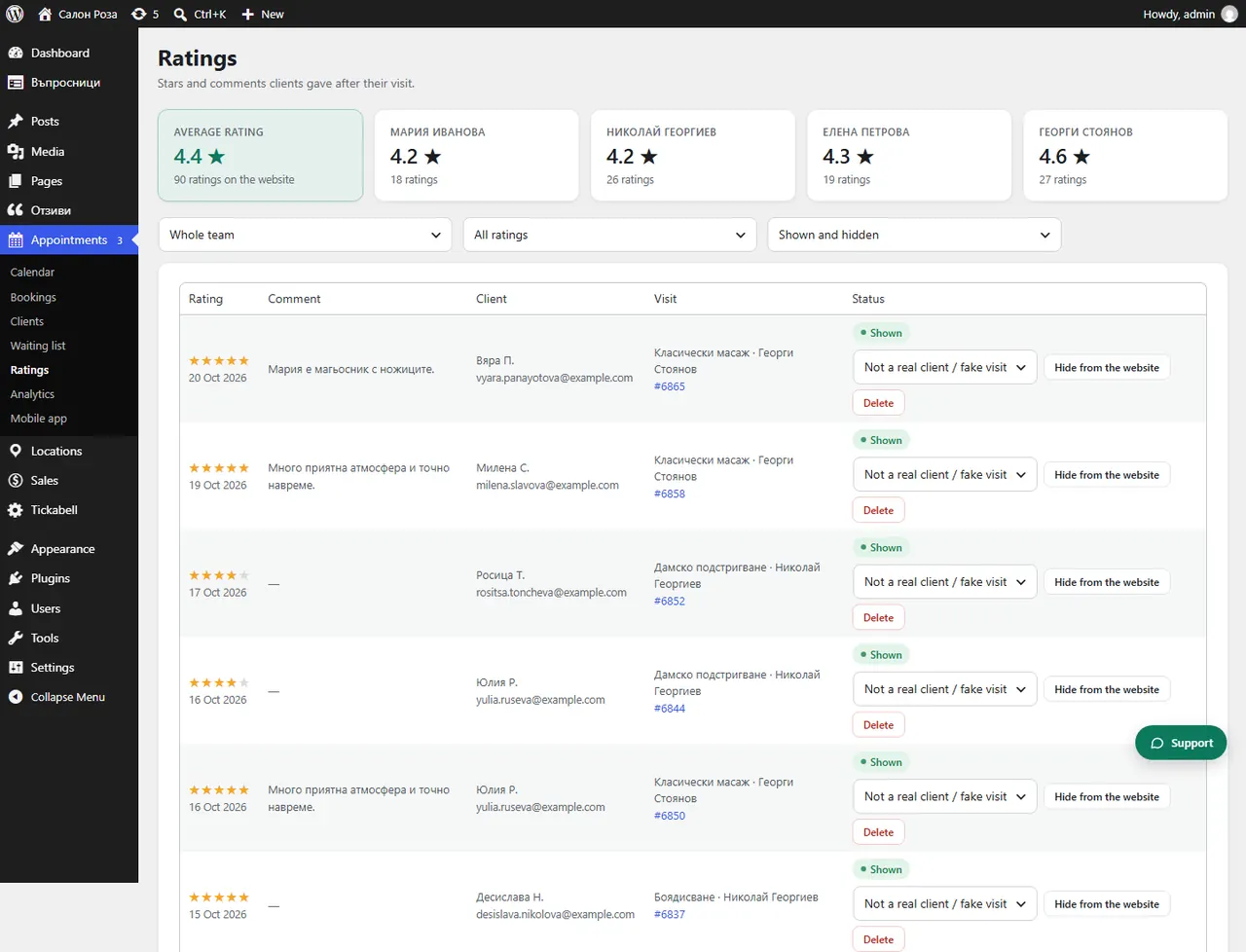
In Appointments › Ratings press “Hide from the website” next to the rating. With “Show again” you bring it back. Hide only fake or offensive ratings, or spam.
Where: Appointments›Ratings
Steps
- Open Appointments › Ratings.
- Next to the rating press “Hide from the website” and choose the reason.
- To bring it back, press “Show again”.
- “Delete” removes the rating for good.
Good to knowHiding honest low ratings misleads clients and is not allowed under the EU consumer protection rules. Hidden ratings do not count in the average rating on the website.
Related articles
Was this article helpful?