

What does “Analytics” show?
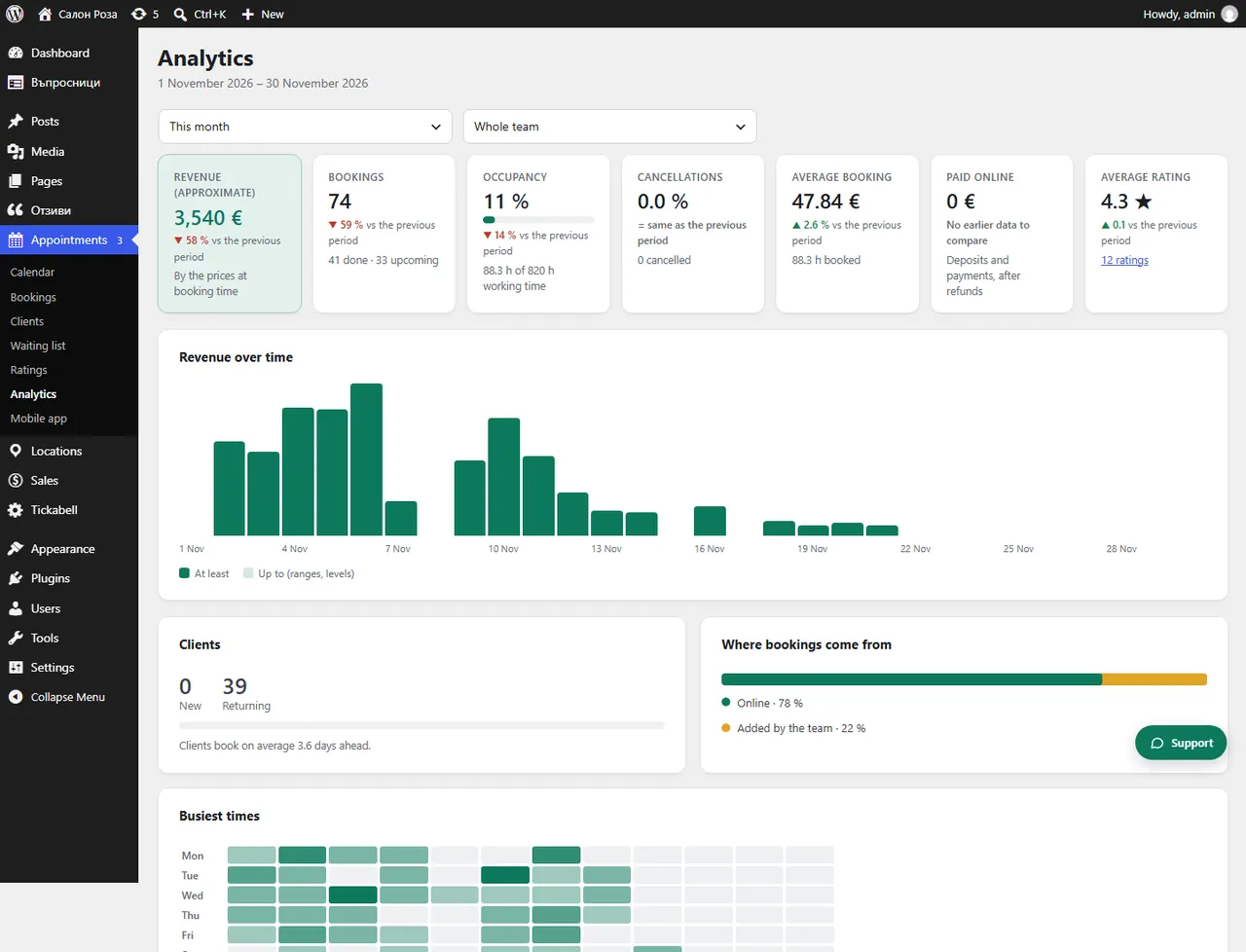
“Analytics” shows how the business is doing over a chosen period: revenue, bookings, occupancy, cancellations, clients and where the bookings come from. Each number is compared with the previous period.
Where: Appointments›Analytics
What is here
- Period: “This month”, “Last month”, “Last 30 days”, “Next 30 days”, “This year” or “Custom…”.
- Revenue (approximate): at the prices when booked, without cancelled appointments.
- Bookings, Occupancy, Cancellations, Average value, Paid online, Average rating.
- Clients: new and returning, and how many days ahead they book on average.
- Revenue over time and a breakdown by location, team member and service.
Good to knowRevenue is approximate: price ranges and levels of complexity count as “from – to” until the level is chosen. For the accounts use Sales › Payments and Invoices.
Related articles
Was this article helpful?