

How do I book an appointment from the calendar?
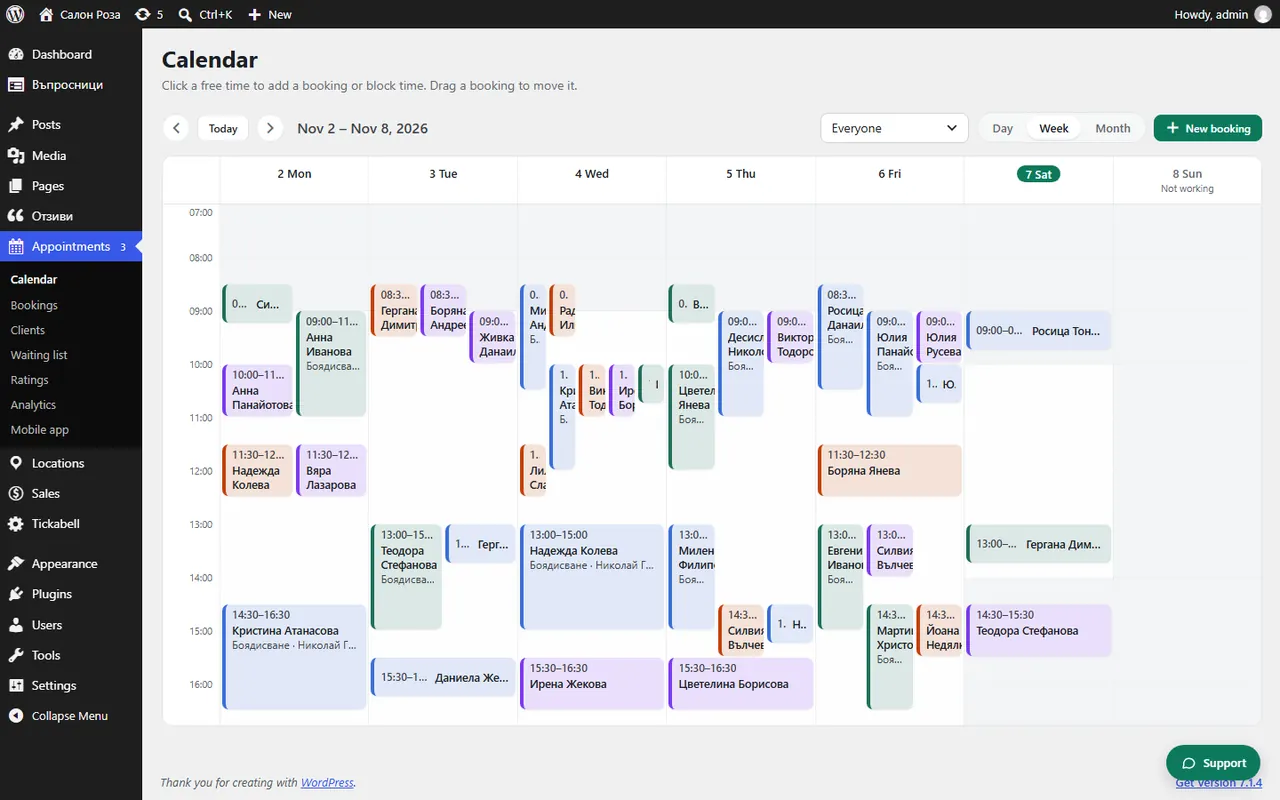
Press “New booking” at the top or click a free time in the calendar. Fill in the service and the client and press “Save”. This is how you enter appointments agreed by phone or in person.
Where: Appointments›Calendar›New booking
Steps
- Open Appointments › Calendar and click a free time for the person who will see the client. You can also press “New booking” at the top.
- In the window, “New booking” stays selected. Choose the service.
- Write the client's name, phone and email. Notes are optional.
- If you want the client to get a confirmation, tick “Email the client”.
- Press “Save”.
Good to knowIf the time is not free, you will see “This time is not free.” You can still book it with “Save anyway (overlap)”, for example if you have agreed it with the client.
Related articles
- How do I make repeating appointments?
- How do I use a package or a voucher when booking?
- How do I block time?
Was this article helpful?