

How do I do one action for many appointments at once?
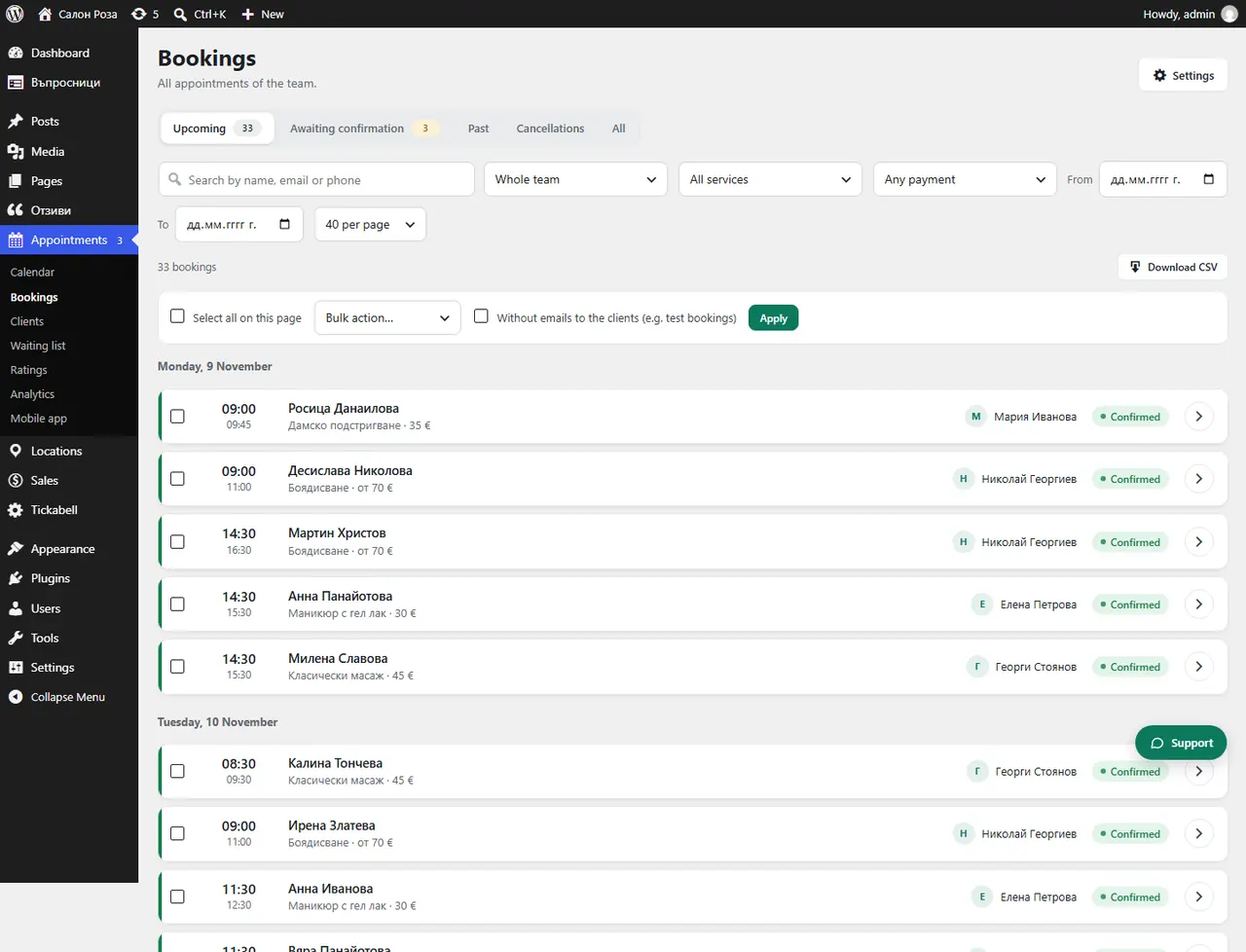
Tick the appointments in the list, choose an action in “Bulk action…” and press “Apply”.
Where: Appointments›Bookings›Bulk action
Steps
- Open Appointments › Bookings and tick the appointments. “Select all on this page” ticks all the visible ones.
- In “Bulk action…” choose “Confirm”, “Cancel” or “Delete permanently”.
- If you do not want the clients to get emails, for example for test appointments, tick the option without emails to the clients.
- Press “Apply” and confirm.
Good to knowCancelling refunds online payments. Appointments with accounting documents are not deleted; they are kept as cancelled.
Related articles
- How do I delete an appointment permanently?
- What do Upcoming, Awaiting confirmation, Past and Cancellations mean?
Was this article helpful?