

How do I let clients move or cancel their appointment themselves?
In Tickabell › Settings › Booking rules tick “Clients can move their appointment online”. The link is in every email to the client.
Where: Tickabell›Settings›Booking rules›Changing the time
Steps
- Open Tickabell › Settings › Booking rules.
- Under “Changing the time” tick “Clients can move their appointment online”.
- Save.
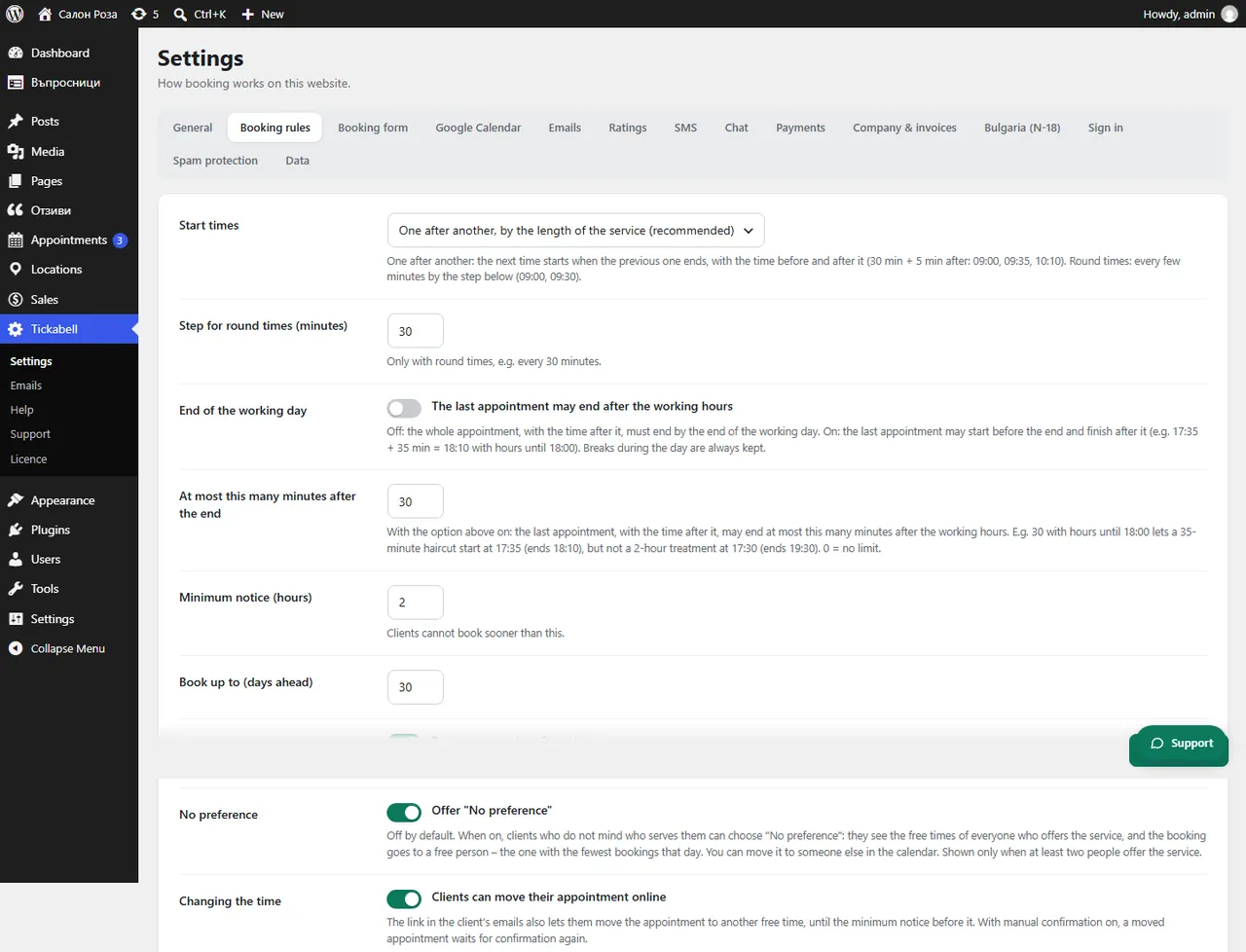
Good to knowThe client can move or cancel up to the minimum notice before the appointment. With manual confirmation, a moved appointment waits for confirmation again.
Related articles
Was this article helpful?