

What do I do with emails that were not sent?
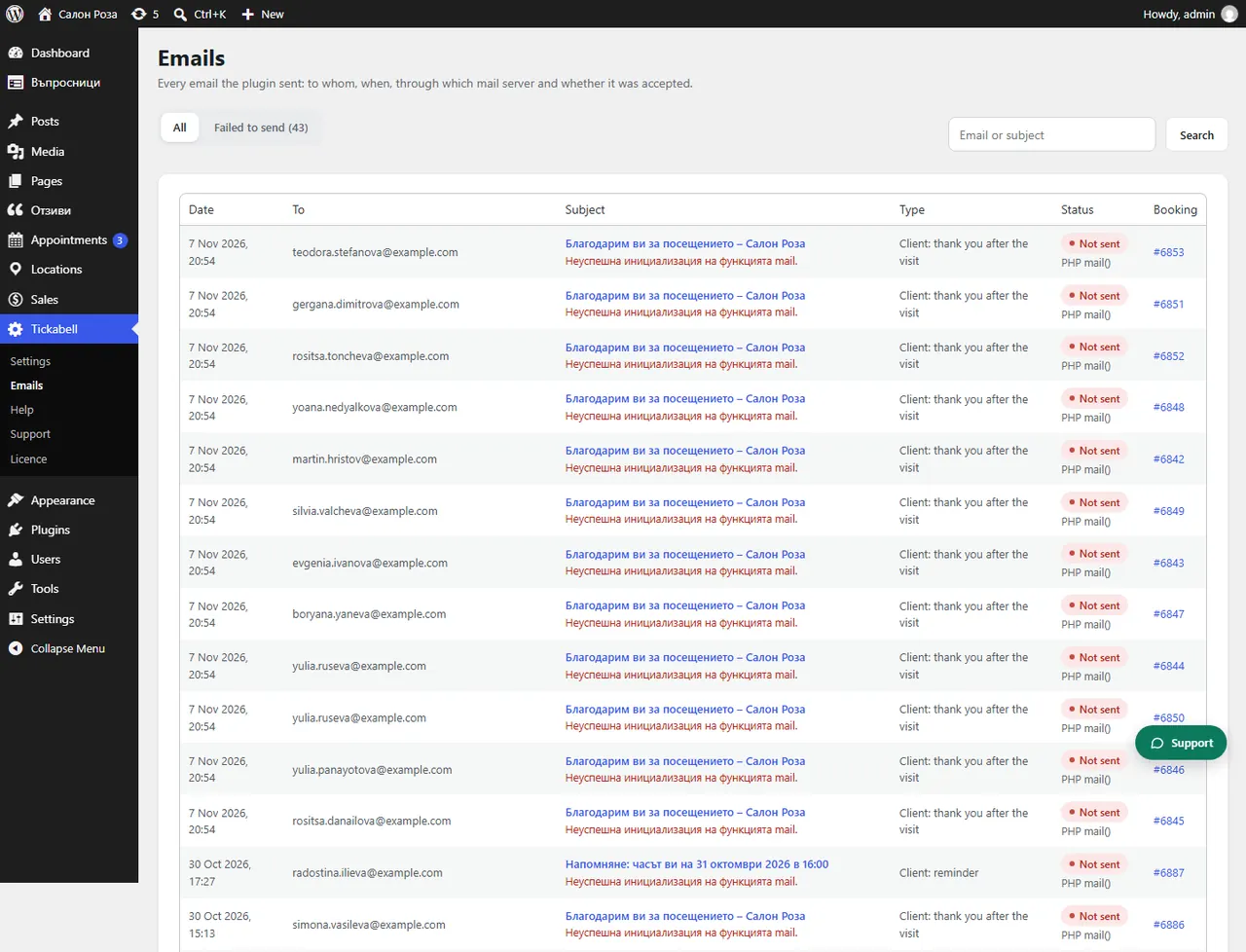
Open Tickabell › Emails › Failed to send, see the reason in the entry, fix it and press “Send again”.
Where: Tickabell›Emails›Failed to send
Steps
- Open Tickabell › Emails and choose “Failed to send”.
- Open the entry and look at “Error”.
- Fix the cause. The most common one is that the website sends without SMTP. Install an SMTP plugin, for example FluentSMTP, with the mailbox of your domain.
- Press “Send again”.
Good to knowIf it says “WordPress could not send the email (no details from the mail server).”, ask your hosting whether the server sends mail, or switch on SMTP.
Related articles
- How do I see which emails have been sent?
- What does the warning about SPF, DMARC and SMTP mean?
- Clients do not get the emails
Was this article helpful?