

How do I erase a client's data?
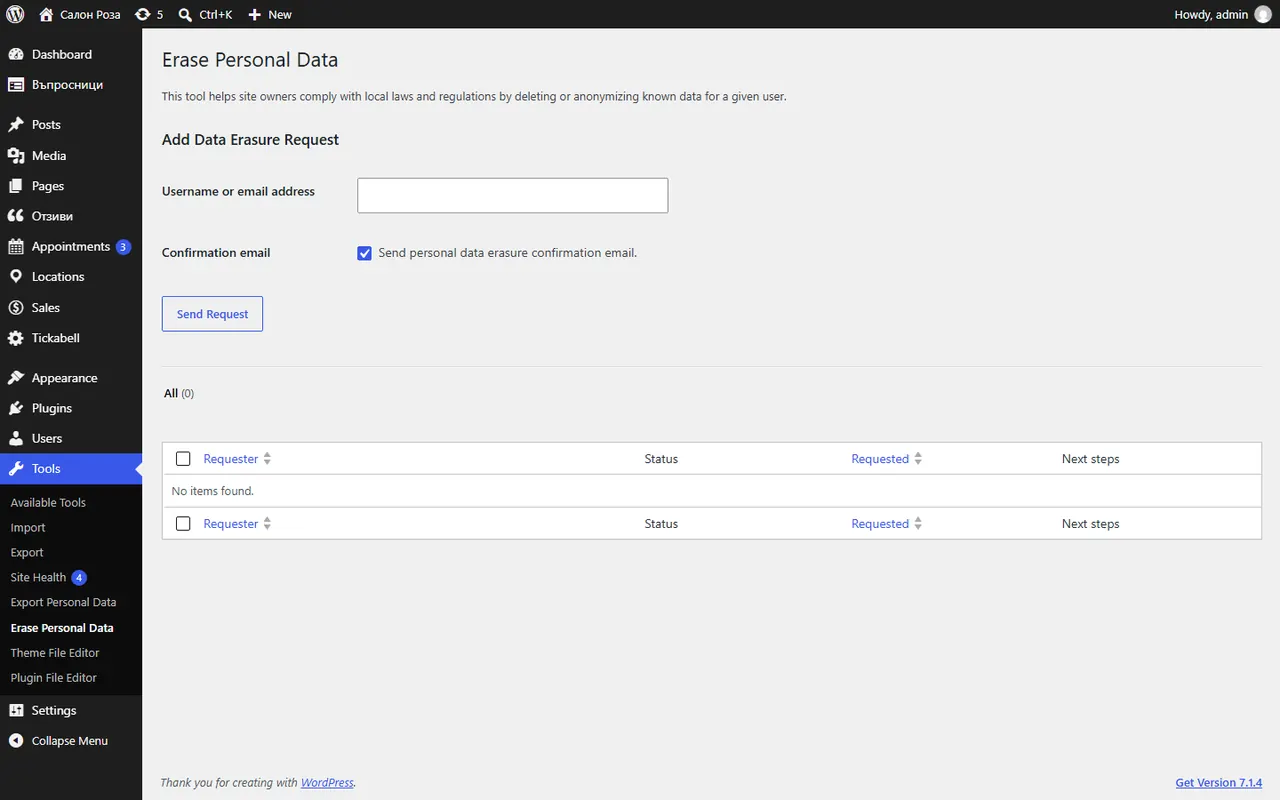
In WordPress open Tools › Erase Personal Data, enter the client's email and confirm the request. Tickabell erases their appointments, profile, ratings and emails.
Where: Tools›Erase Personal Data
Steps
- Open Tools › Erase Personal Data.
- Enter the client's email and add the request.
- Confirm the request and run the erasure of the personal data.
Good to knowUpcoming appointments stay until you cancel them. Appointments with accounting documents, N-18 or invoices, are kept for the accounts, as the law requires, but without the phone number, the notes and the files.
Related articles
Was this article helpful?