

How do I get a copy of the emails?
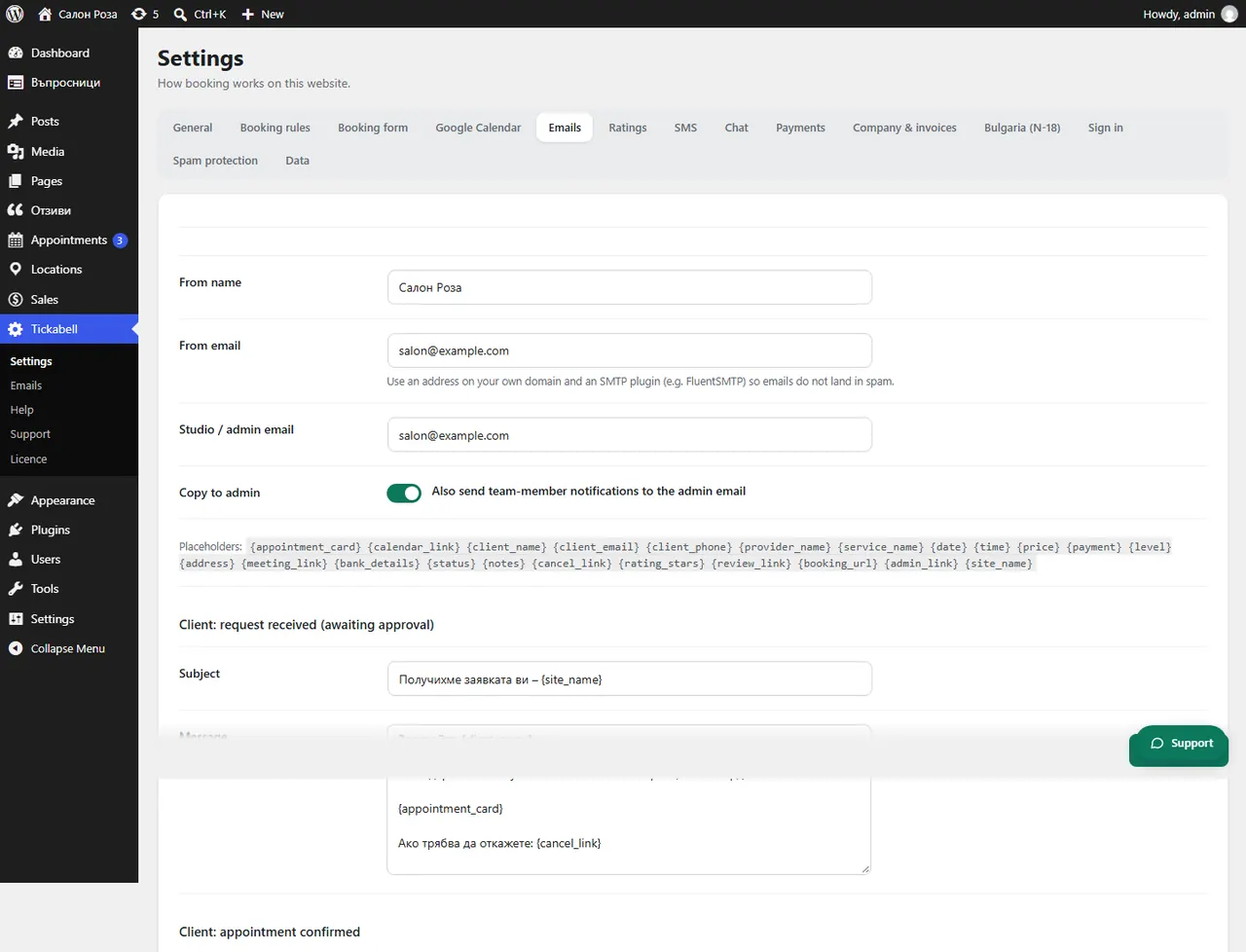
In Tickabell › Settings › Emails tick “Also send team-member notifications to the admin email”. The copies go to the address in “Studio / admin email”.
Where: Tickabell›Settings›Emails›Copy to admin
Steps
- Open Tickabell › Settings › Emails.
- Fill in “Studio / admin email”.
- Under “Copy to admin” tick “Also send team-member notifications to the admin email”.
- Save.
Good to knowA copy is sent only of the emails for the team. You see all sent emails in Tickabell › Emails.
Related articles
Was this article helpful?