

What is “No preference”?
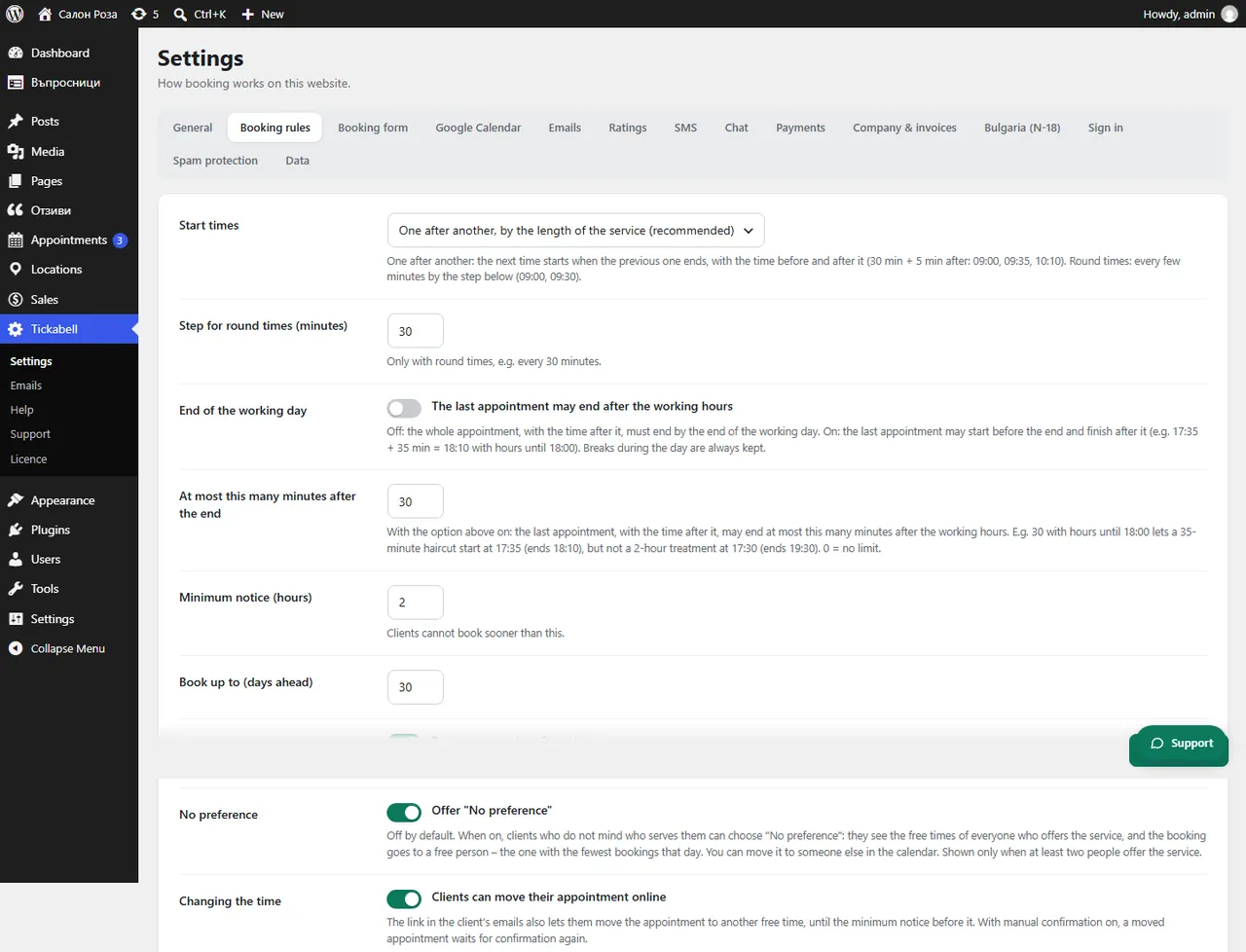
It is a choice in the form for clients who do not mind who sees them. They see the free times of everyone who offers the service.
Where: Tickabell›Settings›Booking rules›No preference
Steps
- Open Tickabell › Settings › Booking rules.
- Under “No preference” tick the option that offers it in the form.
- Save.
Good to knowThe booking goes automatically to the free person. The booking shows that the client chose “No preference”, and you can move it to someone else from the calendar.
Related articles
Was this article helpful?