

The SMS are not sent
Check that SMS reminders are switched on, that the API key is correct and that the SMSAPI.bg account has credit. Then send a test SMS.
Where: Tickabell›Settings›SMS
Steps
- In Tickabell › Settings › SMS check that “Send clients an SMS before their appointment” is ticked.
- Check the “API key (token)” and click “Send test SMS”.
- Log in to SMSAPI.bg and check the balance.
- If you have entered a “Sender name”, check that it has been approved. Until it is, leave the field empty.
- See the history of the SMS in Tickabell › Emails.
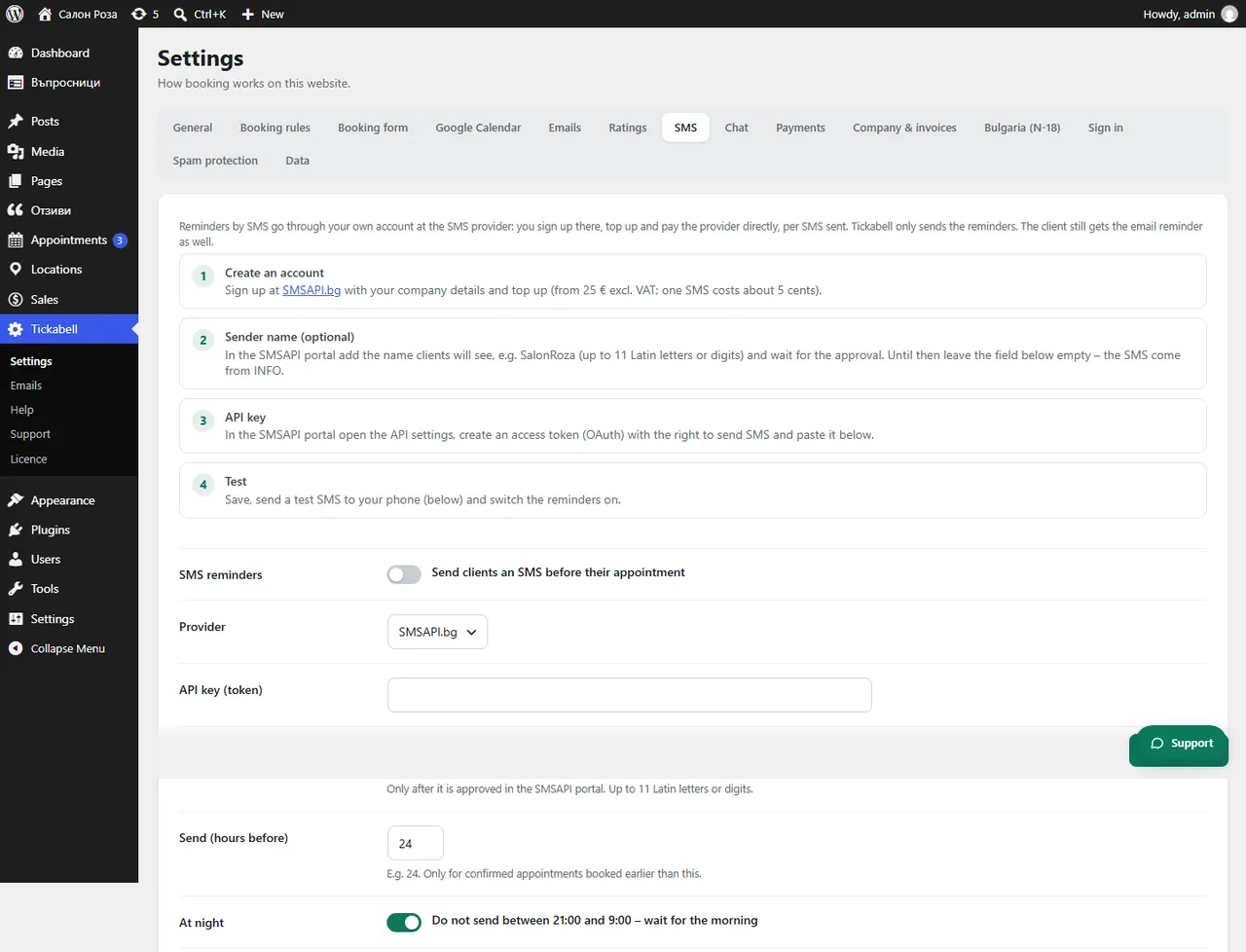
Good to knowAn SMS is sent only for confirmed appointments with a phone number, booked earlier than “Send (hours before)”. With “At night” on, the SMS wait until the morning.
Related articles
Was this article helpful?