

How do I enter the company details?
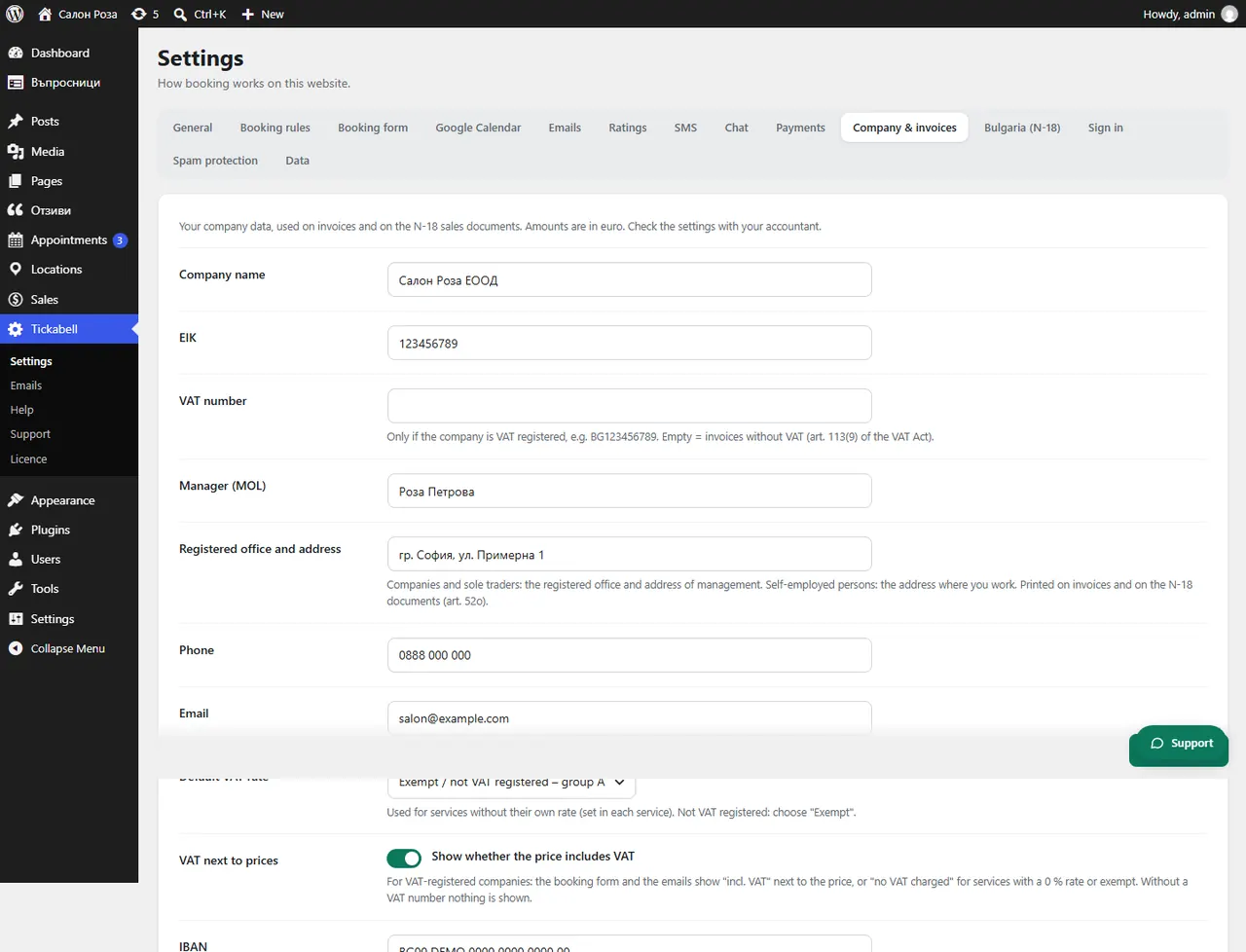
In Tickabell › Settings › Company & invoices fill in the name, the company number (EIK), the address and the other details. They are printed on invoices and on the Ordinance N-18 documents.
Where: Tickabell›Settings›Company & invoices
Steps
- Open Tickabell › Settings › Company & invoices.
- Fill in “Company name”, “EIK”, “MOL” (the person who represents the company) and “Registered office and address”.
- Fill in “VAT number” only if the company is registered for VAT.
- Choose the “Default VAT rate”.
- Fill in “IBAN” and “Bank” if you accept transfers.
- Save.
Good to knowAmounts are in euro. Check the settings with your accountant.
Related articles
Was this article helpful?