

How do I show ratings on the website?
In Tickabell › Settings › Ratings tick “Show ratings and comments publicly”. The average rating is shown next to each service in the form, on the team page and in the profiles.
Where: Tickabell›Settings›Ratings›Show on the website
Steps
- Open Tickabell › Settings › Ratings.
- Under “Show on the website” tick “Show ratings and comments publicly”.
- In “Show from” set after how many ratings the average is shown, for example 3. That way one early rating does not decide the average.
- Save.
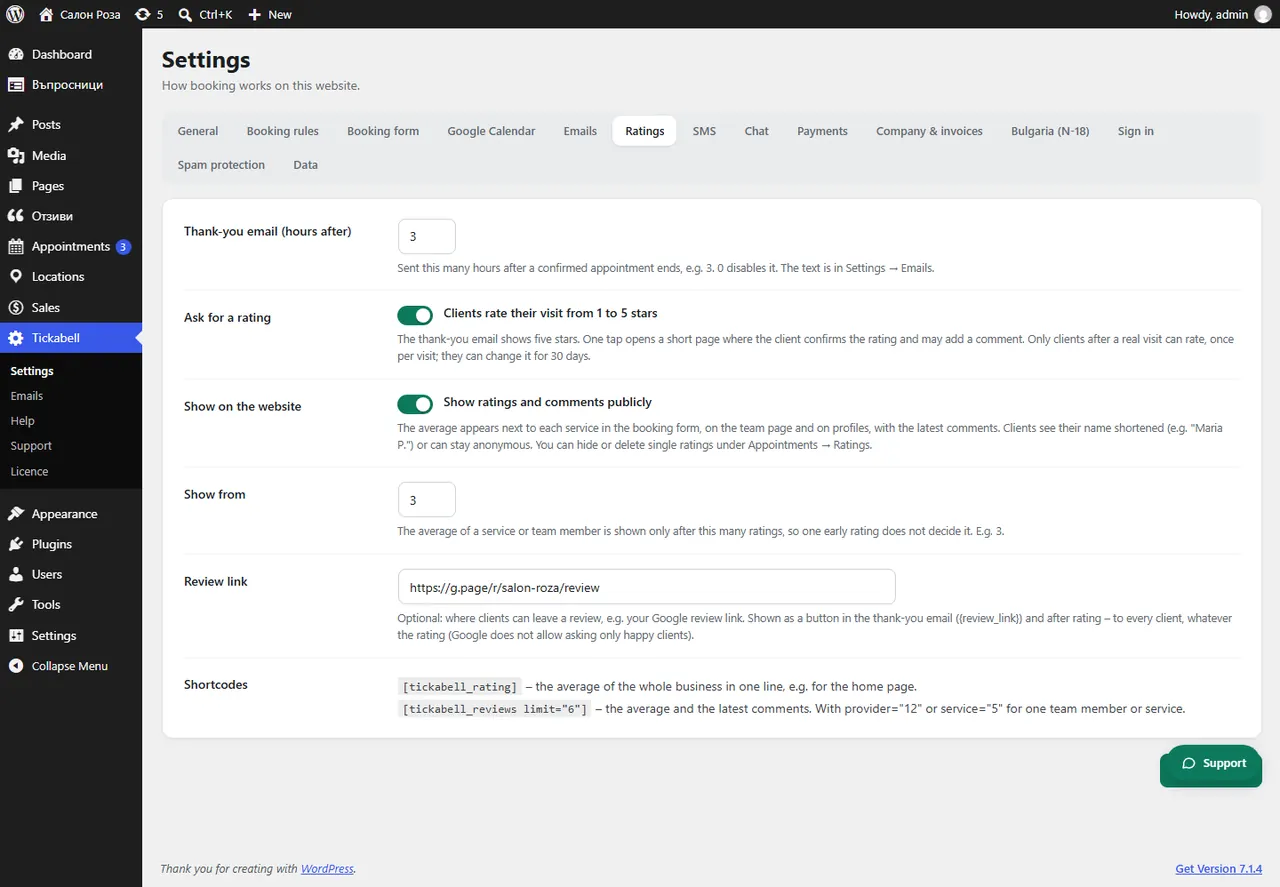
Good to knowThe client's name is shown shortened. You can also put the ratings on any page with the shortcodes
[tickabell_rating] and [tickabell_reviews].Related articles
- How do I show the team, ratings, portfolio and social networks (shortcodes)?
- How do I hide or show a rating?
Was this article helpful?