

What do I see on the Dashboard?
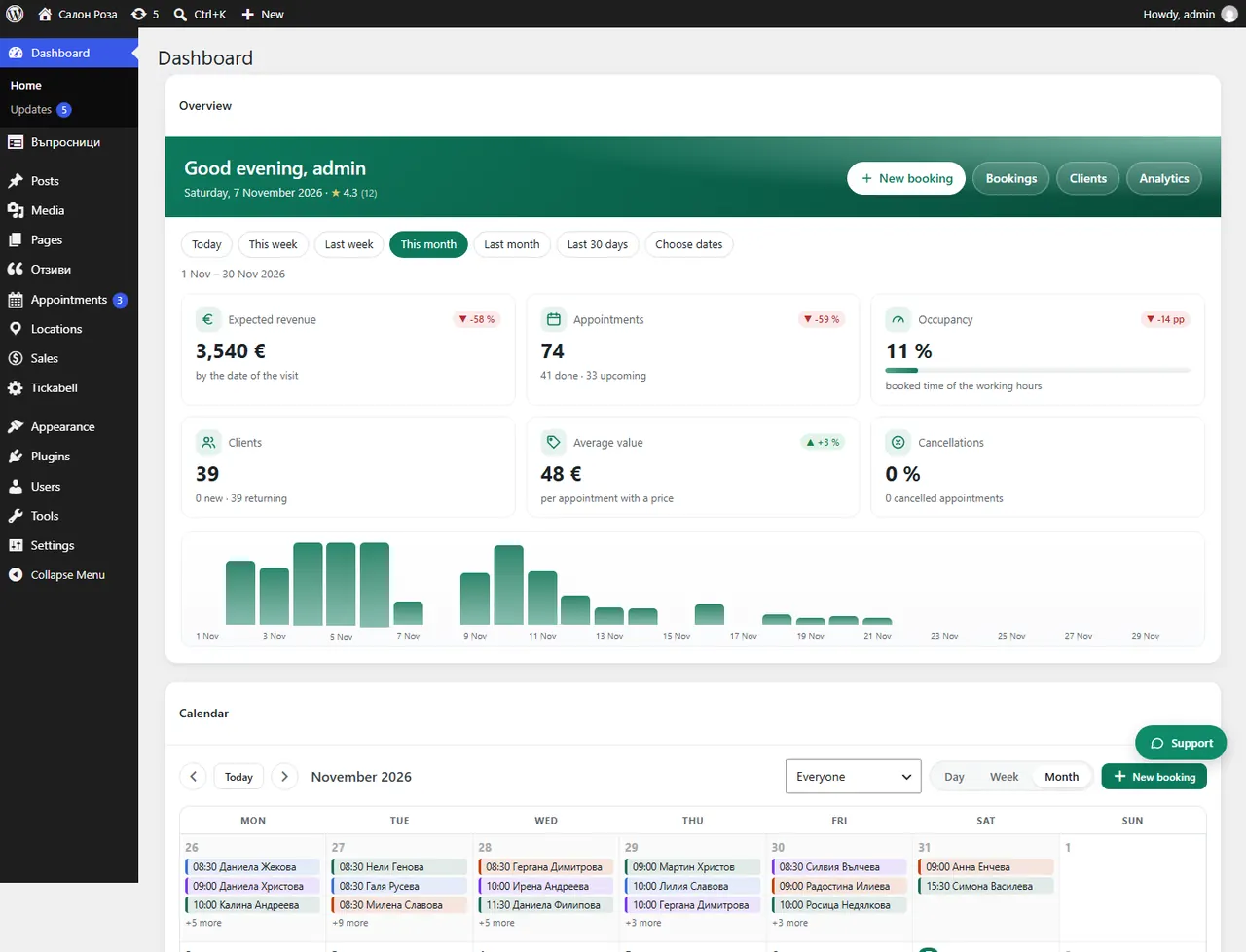
The Dashboard is the first thing you see after signing in. Tickabell adds boxes there with the most important things of the day: what is waiting for you, today's and tomorrow's appointments, who is working and how the business is doing.
Where: Dashboard
What is here
- Overview: expected revenue, bookings, how full the working hours are, and new against returning clients.
- Waiting for action: things that need your decision. When there are none, it says “All good – nothing is waiting.”
- Appointments today and tomorrow: every appointment with the client and the service.
- The team today: who is working and how busy they are. If you work alone, the box is called “Your day”.
- Calendar, Clients and Best services and team members.
- Marketing, Payments and Invoices: only for the owner and the managers.
Good to knowYou can move the boxes by dragging them. Hide the ones you do not need from “Screen Options” at the top right.
Related articles
- What does “Waiting for action” mean?
- How the menu is organised: Appointments, Locations, Sales, Tickabell
Was this article helpful?