

How do I stop spam in the form?
The form always has a hidden trap field and a limit on attempts. For extra protection enter the free Cloudflare Turnstile keys in Tickabell › Settings › Spam protection.
Where: Tickabell›Settings›Spam protection
Steps
- In Cloudflare create a free Turnstile widget for the website's address.
- Open Tickabell › Settings › Spam protection.
- Paste the “Turnstile site key” and the “Turnstile secret key”.
- Save and book a test appointment to check the form.
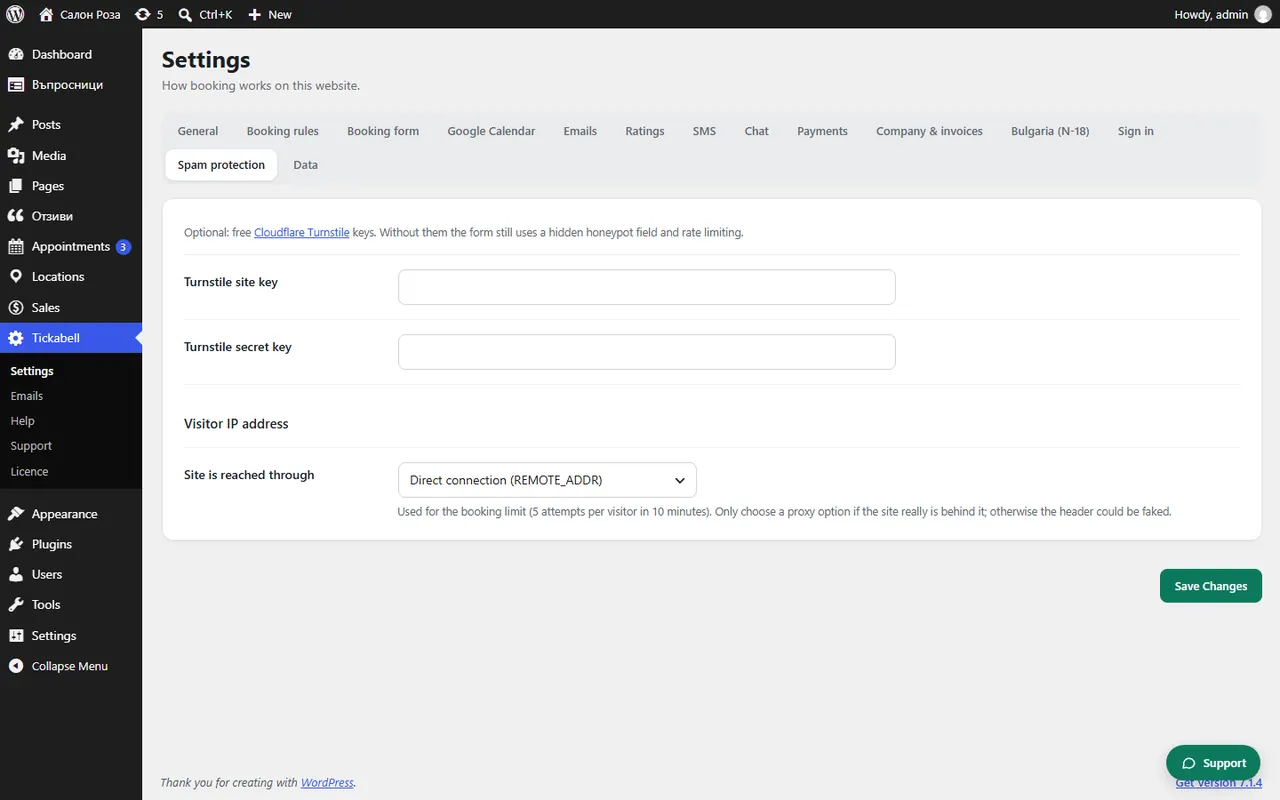
Good to knowThe limit is 5 attempts per visitor in 10 minutes.
Related articles
Was this article helpful?