

The first 15 minutes: what should I set up first?
Go through the setup wizard, check your team's working hours, put the booking form on a page and connect your phone. After that, clients can book appointments.
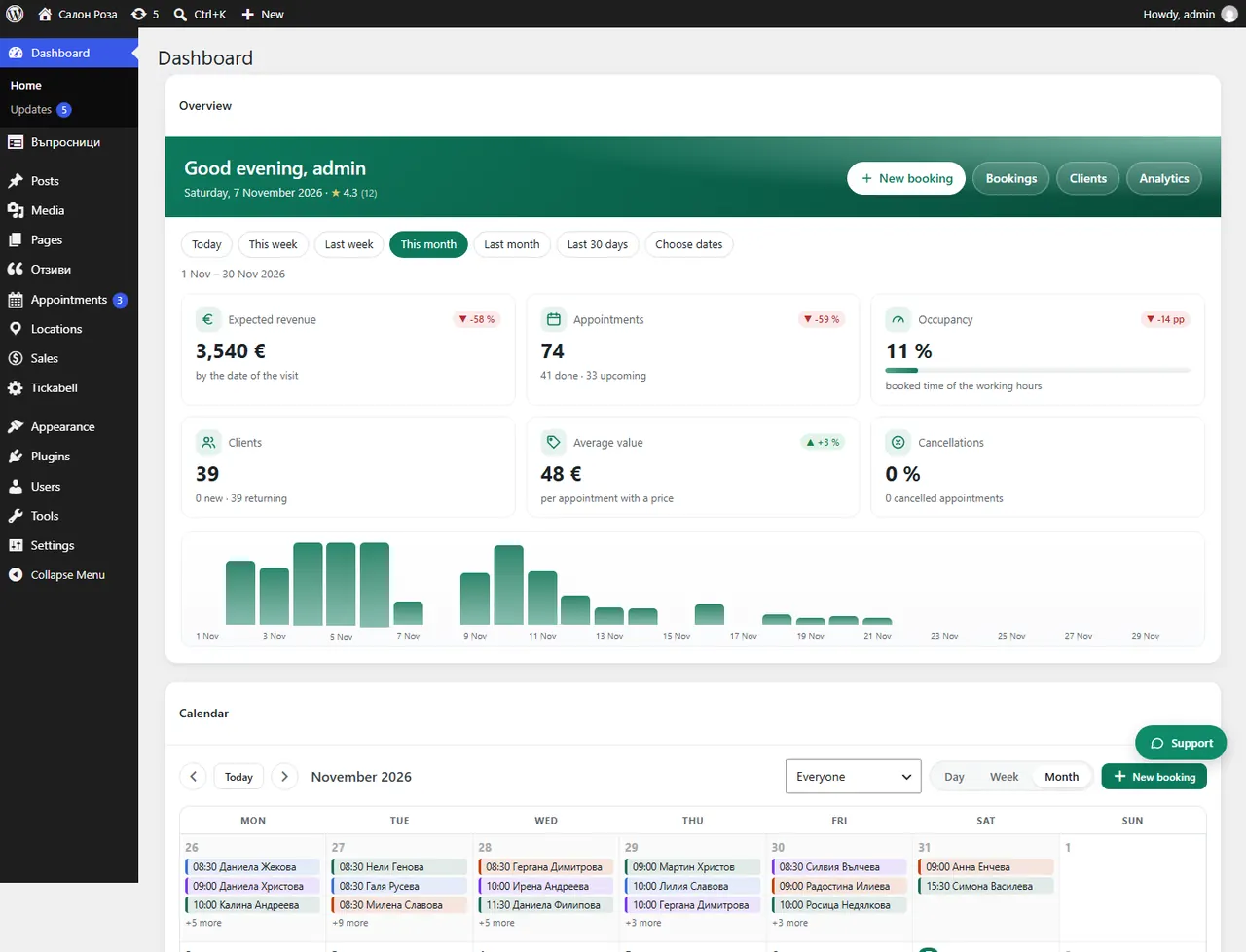
Where: Dashboard
Steps
- Go through the setup wizard: business, team, services, rules and emails. If you skipped it, start it from Tickabell › Settings › General › Setup wizard.
- Open Locations › Team and check each person's working hours and days off.
- Open Locations › Services and check the prices and durations.
- Put the form on a page with the shortcode
[tickabell_booking]and try it: book an appointment as a client. - Connect your phone from Appointments › Mobile app so that new requests reach you at once.
- If the website sends emails without SMTP, Tickabell › Emails will warn you. Fix it before you open online booking.
Good to knowEverything in the wizard can be changed later. Nothing is lost if you run it again.
Related articles
- What does the setup wizard do?
- How the menu is organised: Appointments, Locations, Sales, Tickabell
- What do I see on the Dashboard?
Was this article helpful?