

How do ratings from clients work?
After the visit the client gets a thank-you email with five stars. With one tap they rate from 1 to 5 and can add a comment. Only clients who really came can rate.
Where: Appointments›Ratings
What is here
- The invitation goes out with the thank-you email, as many hours after the end of the appointment as you have set in Settings › Ratings.
- The client taps a star, confirms the rating and can write a comment.
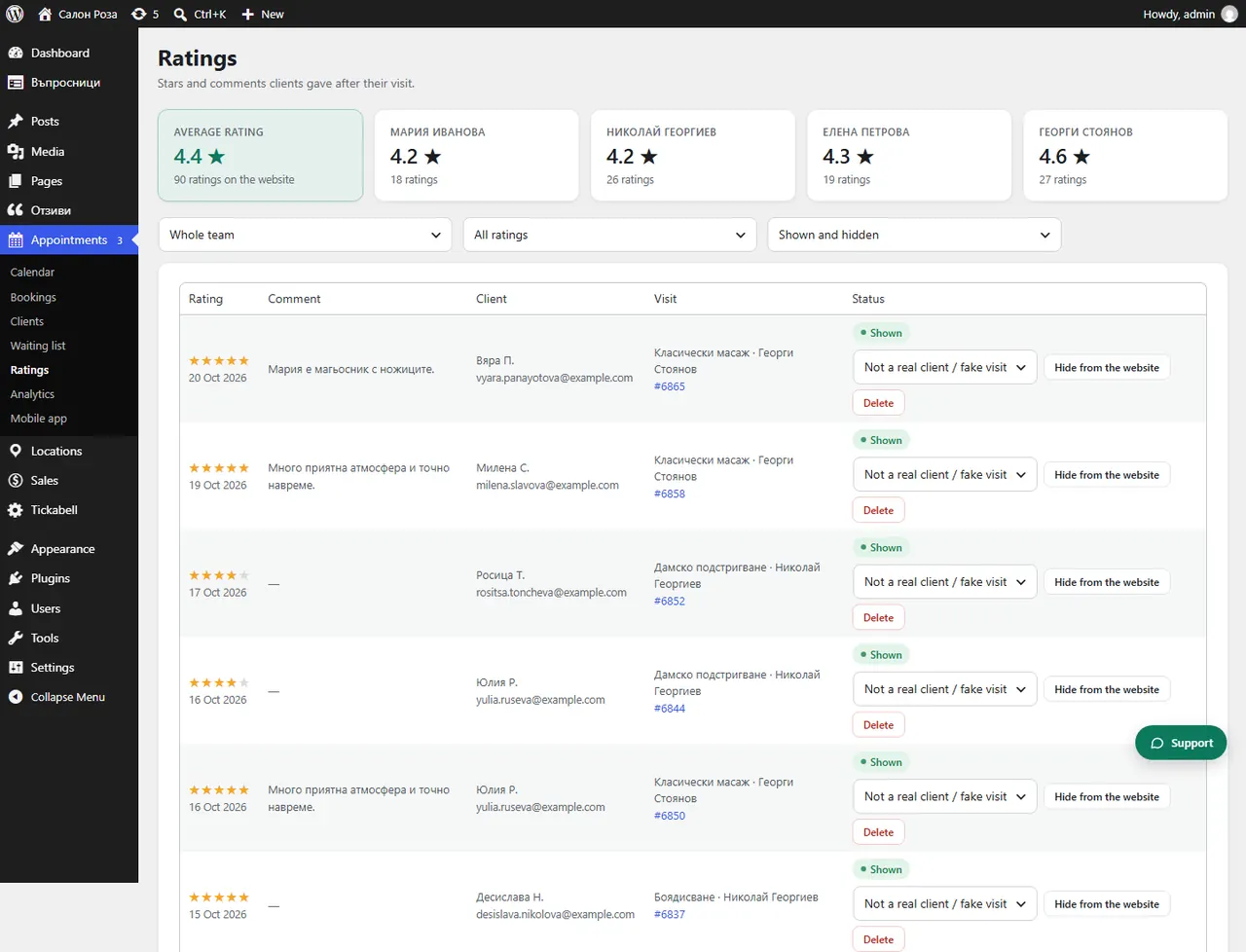
- Appointments › Ratings: all ratings with the stars, the comment, the client and the visit. The average rating is at the top.
Good to knowIf Ratings says that clients are not asked for ratings at the moment, switch on “Ask for a rating” in Tickabell › Settings › Ratings.
Related articles
- When is the thank-you email with the rating invitation sent?
- How do I hide or show a rating?
- How do I show ratings on the website?
Was this article helpful?