

How do I send birthday greetings?
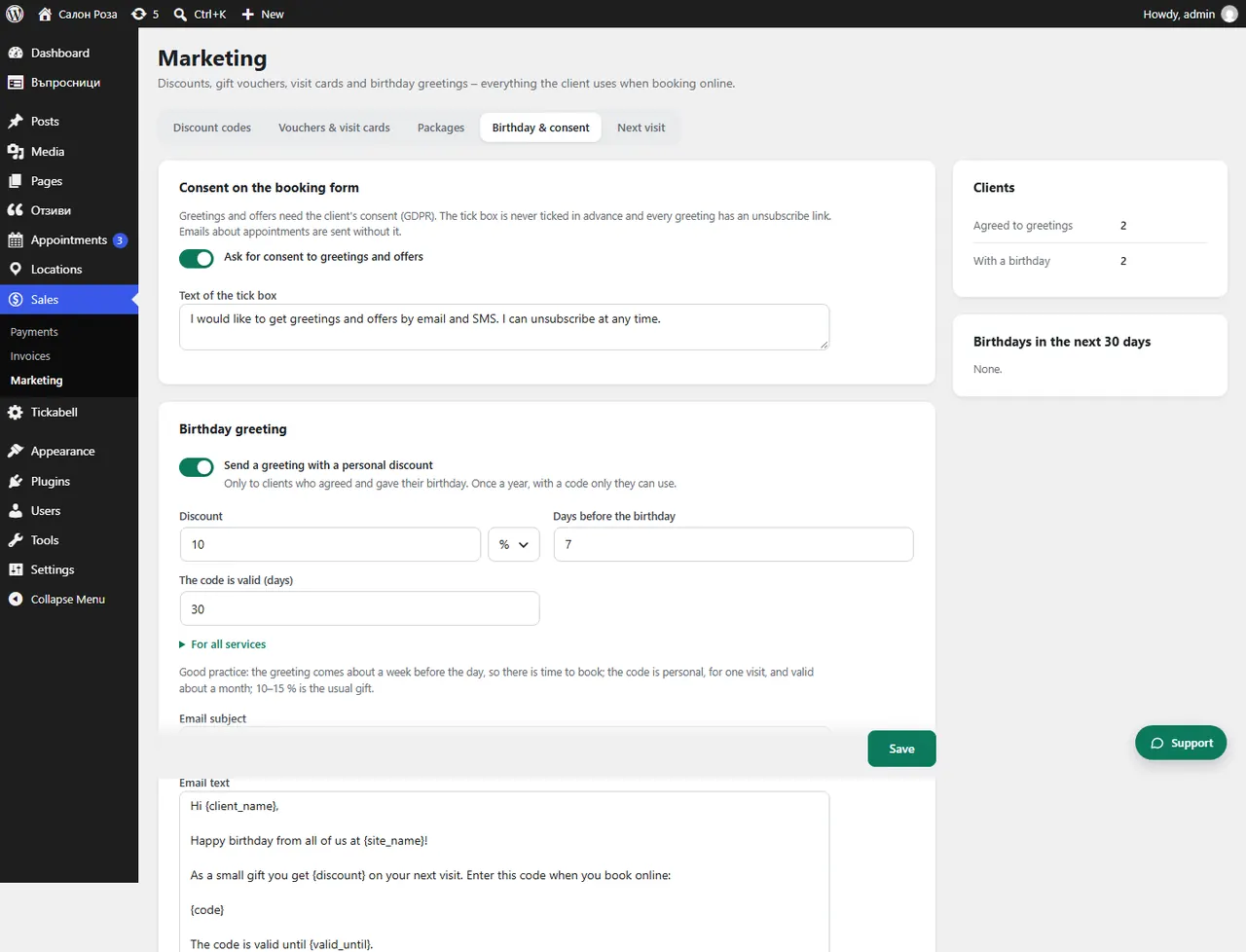
In Sales › Marketing › Birthday & consent tick “Send a greeting with a personal discount”. The client gets a greeting with a personal code once a year, if they have agreed and given their birthday.
Where: Sales›Marketing›Birthday & consent
Steps
- Open Sales › Marketing › Birthday & consent.
- Under “Consent on the booking form” tick “Ask for consent to greetings and offers”.
- Under “Birthday greeting” tick “Send a greeting with a personal discount”.
- Set the discount, the “Days before the birthday” and “The code is valid (days)”.
- Check the “Email subject” and the “Email text” and save.
- With “Send test” you get a sample greeting at your own email.
Good to knowIt is good for the greeting to arrive about a week before the day and for the code to be valid for about a month. The usual gift is 10–15%. Each greeting has an unsubscribe link. Also switch on the birthday question in the form.
Related articles
Was this article helpful?