

How do I sell a gift voucher?
Sell the voucher on site, with a cash register receipt, and create it in Sales › Marketing › Vouchers & visit cards. Print it with “PDF for printing” or send it. The client books online with the code, and the amount goes down until it is used up.
Where: Sales›Marketing›Vouchers & visit cards
Steps
- Open Sales › Marketing › Vouchers & visit cards.
- In “New gift voucher” enter the “Amount”, “For whom (optional)” and “Valid to”.
- In the note for yourself you can write the number of the cash register receipt.
- Press “Create voucher”.
- Press “PDF for printing” and give the voucher to the client.
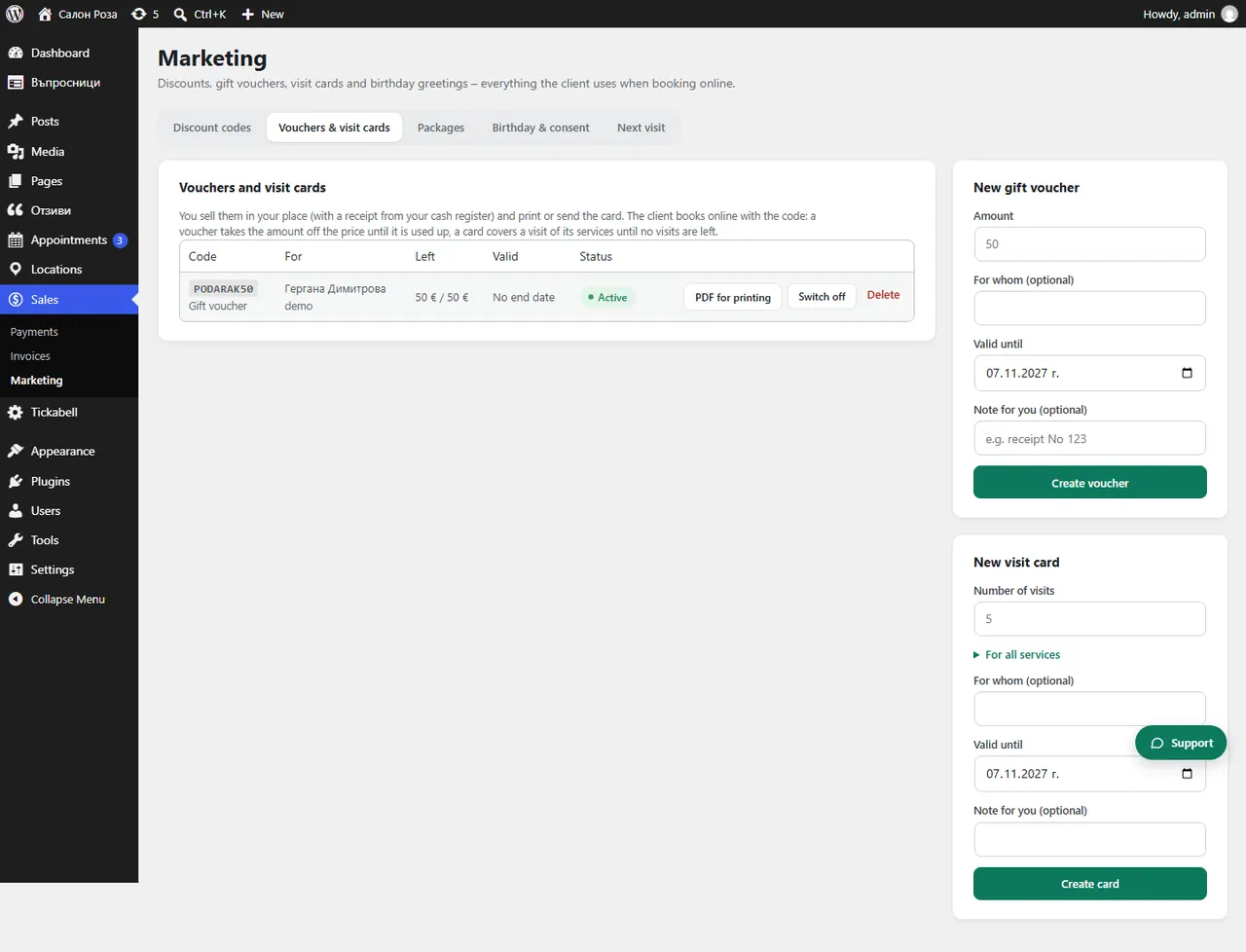
Good to knowThe list shows how much is left on each voucher.
Related articles
Was this article helpful?