

The form looks different in my theme
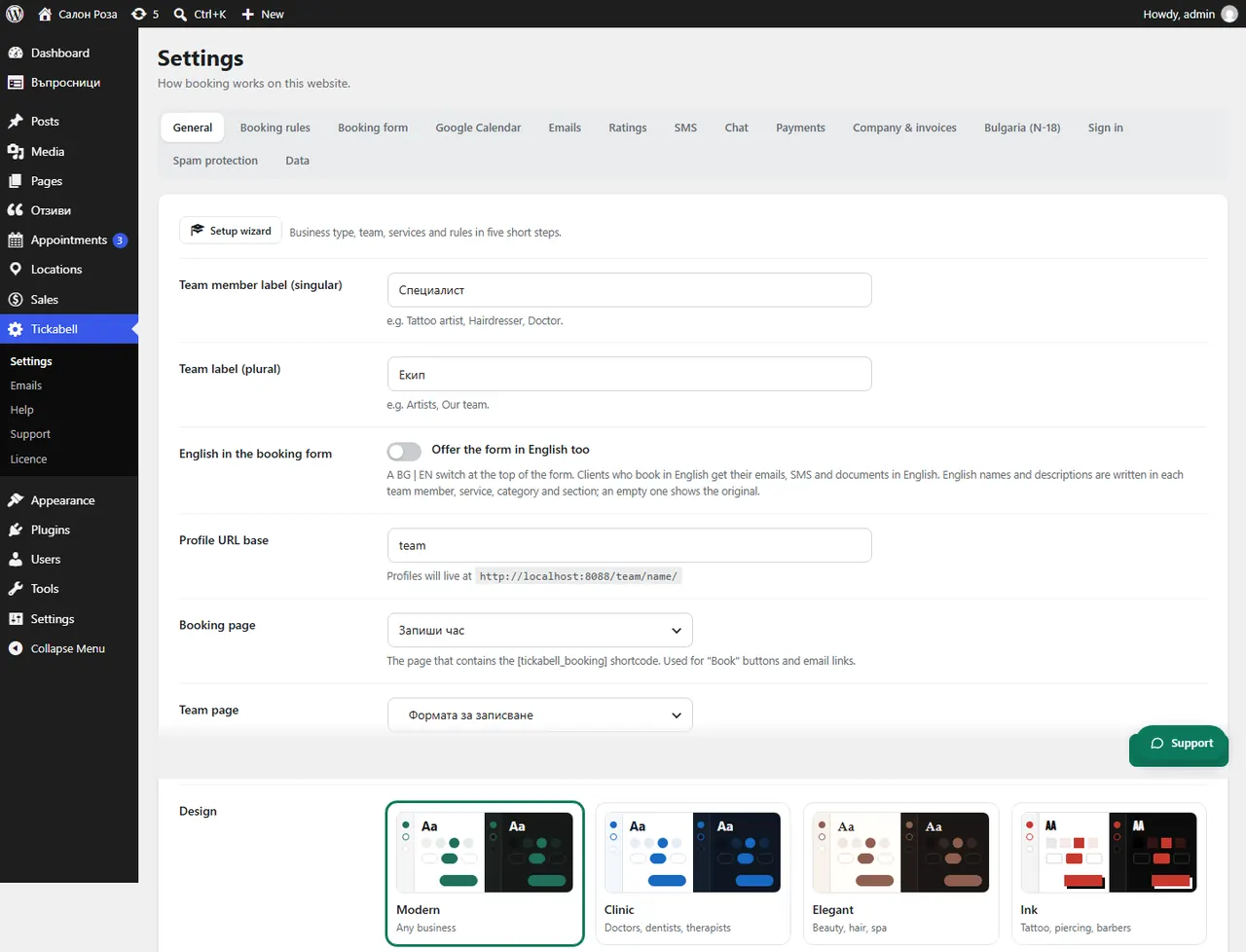
The theme may add its own styles and width. With classic themes such as Divi or Astra, in Tickabell › Settings › General choose “Plugin template – full width (recommended)” for “Team & booking pages”.
Where: Tickabell›Settings›General›Design
Steps
- Open Tickabell › Settings › General.
- Under “Team & booking pages” choose “Plugin template – full width (recommended)”.
- Under “Design” choose the design that suits the website and set the “Main colour”.
- For a dark website change the “Color scheme” to dark.
- Reload the booking page.
Good to knowBlock themes such as Twenty Twenty-Five always keep their own templates, and the form uses their wide width. If you have a caching plugin, clear the cache.
Related articles
Was this article helpful?