

How do I make a visit card?
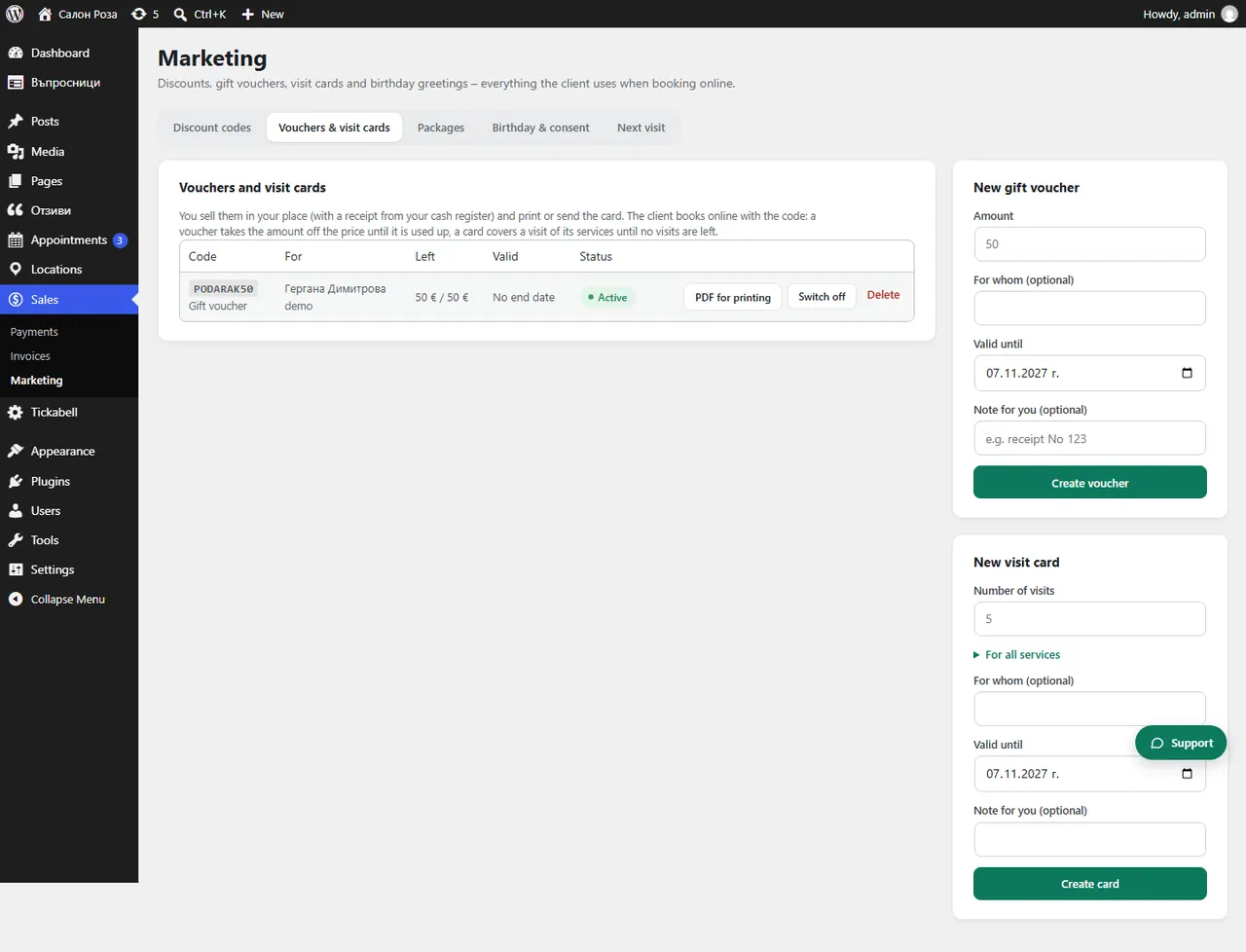
In Sales › Marketing › Vouchers & visit cards, under “New visit card”, set the number of visits and the services. The client books online with the code as long as there are visits left.
Where: Sales›Marketing›Vouchers & visit cards
Steps
- Open Sales › Marketing › Vouchers & visit cards.
- In “New visit card” choose a package, or your own card at the top of the list.
- For your own card, enter the “Number of visits” and tick the services.
- Press “Create card” and give the code to the client.
Good to knowIf you choose a package, the visits, services and end date come from it. Cards are also shown in the client's profile, under “Packages and visit cards”.
Related articles
Was this article helpful?