

How do I change the login address?
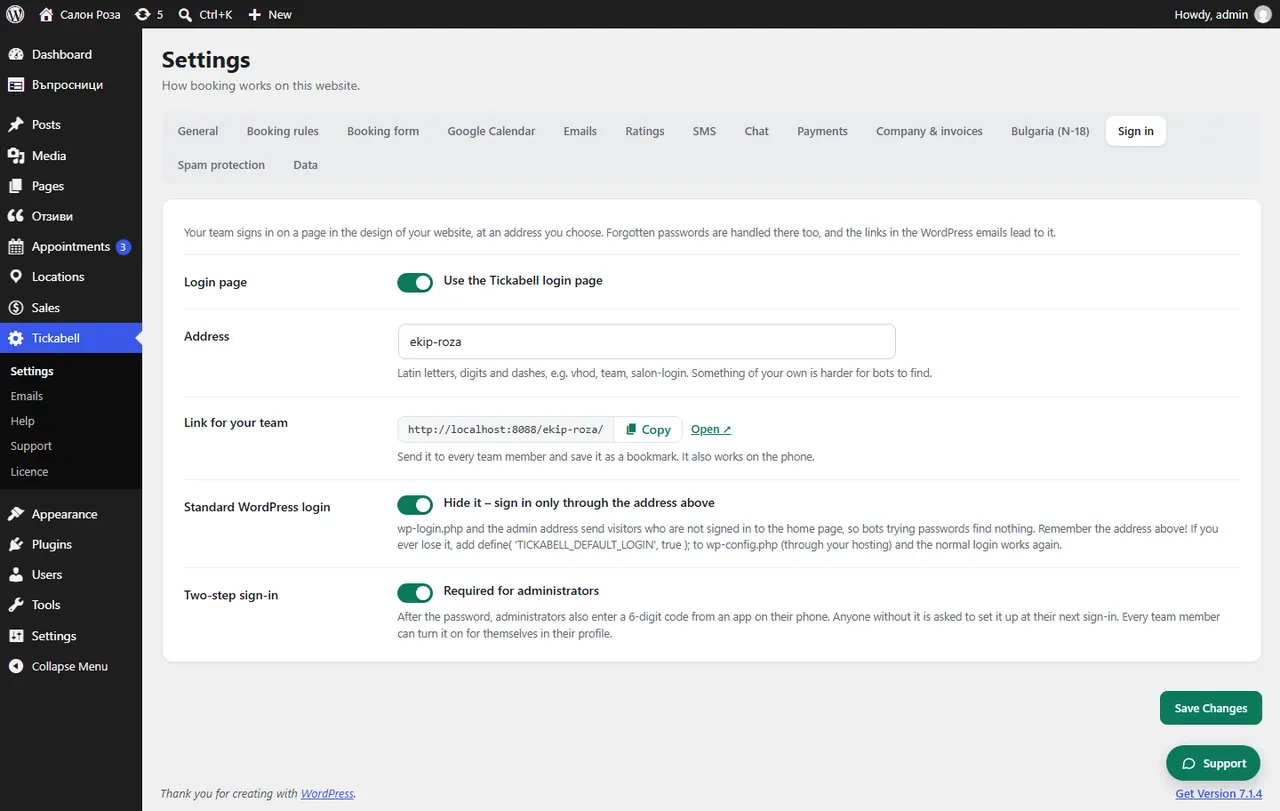
In Tickabell › Settings › Sign in tick “Use the Tickabell login page” and enter your own address, for example login. “Hide it – sign in only through the address above” hides the standard WordPress login.
Where: Tickabell›Settings›Sign in›Login page
Steps
- Open Tickabell › Settings › Sign in.
- Tick “Use the Tickabell login page”.
- In “Address” write Latin letters, digits and hyphens, for example login or salon-login.
- Optionally tick “Hide it – sign in only through the address above”.
- Save and write down the new address.
Good to knowRemember the address! If you lose it, the person who looks after the website adds
define( 'TICKABELL_DEFAULT_LOGIN', true ); to wp-config.php through the hosting, and the usual login works again.Related articles
Was this article helpful?