

How do I ask for payment when booking for one service only?
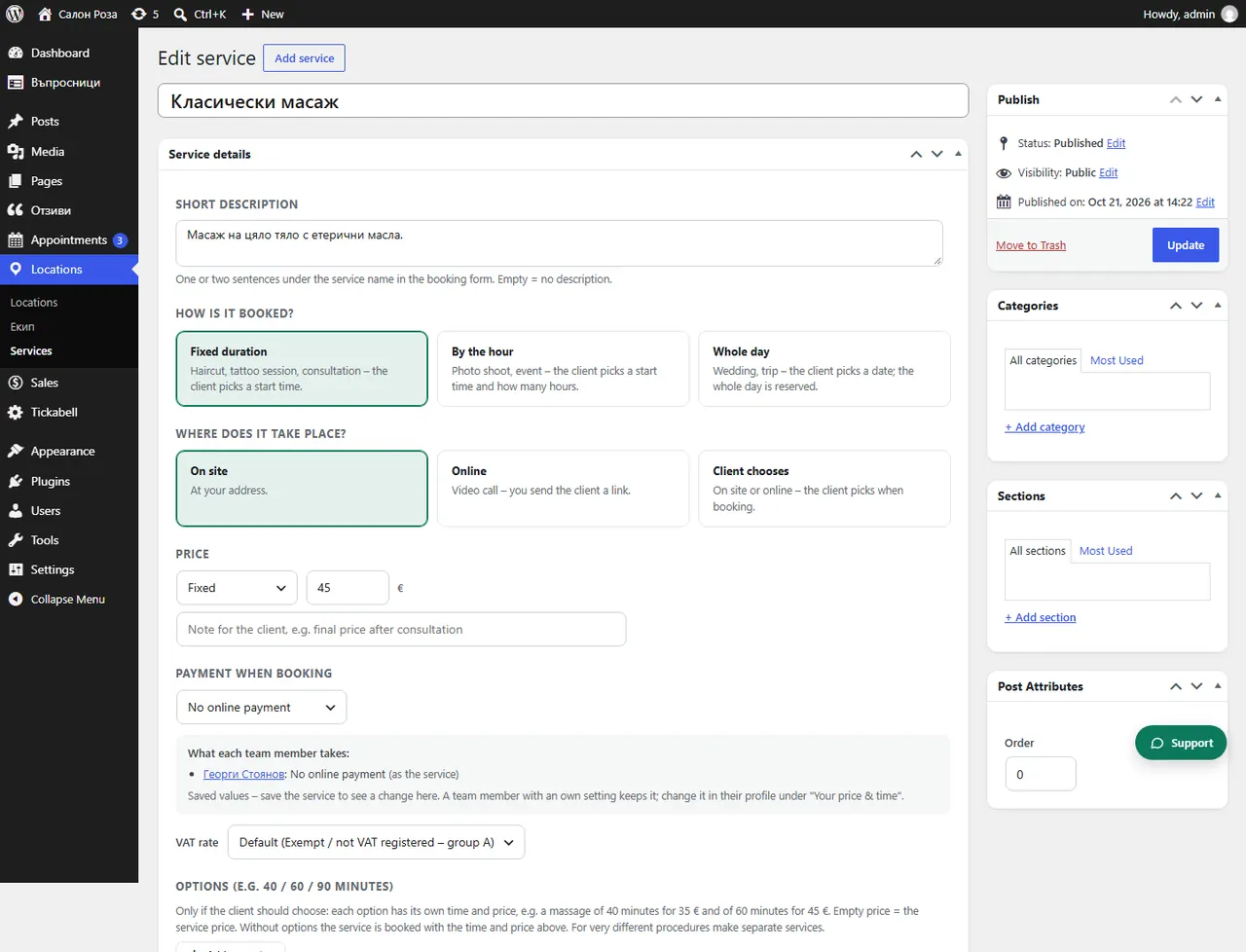
In the service, under “Payment when booking”, choose a deposit or the full price. The other services stay without online payment.
Where: Locations›Services›(service)›Service details›Payment when booking
Steps
- First switch on online payment in Tickabell › Settings › Payments.
- Open the service in Locations › Services.
- Under “Payment when booking” choose “Deposit – fixed amount”, “Deposit – % of the price” or “Full price”.
- Save.
Good to knowIf online payment is switched off, the service says so, with a link to the settings.
Related articles
Was this article helpful?