

How do I issue an invoice?
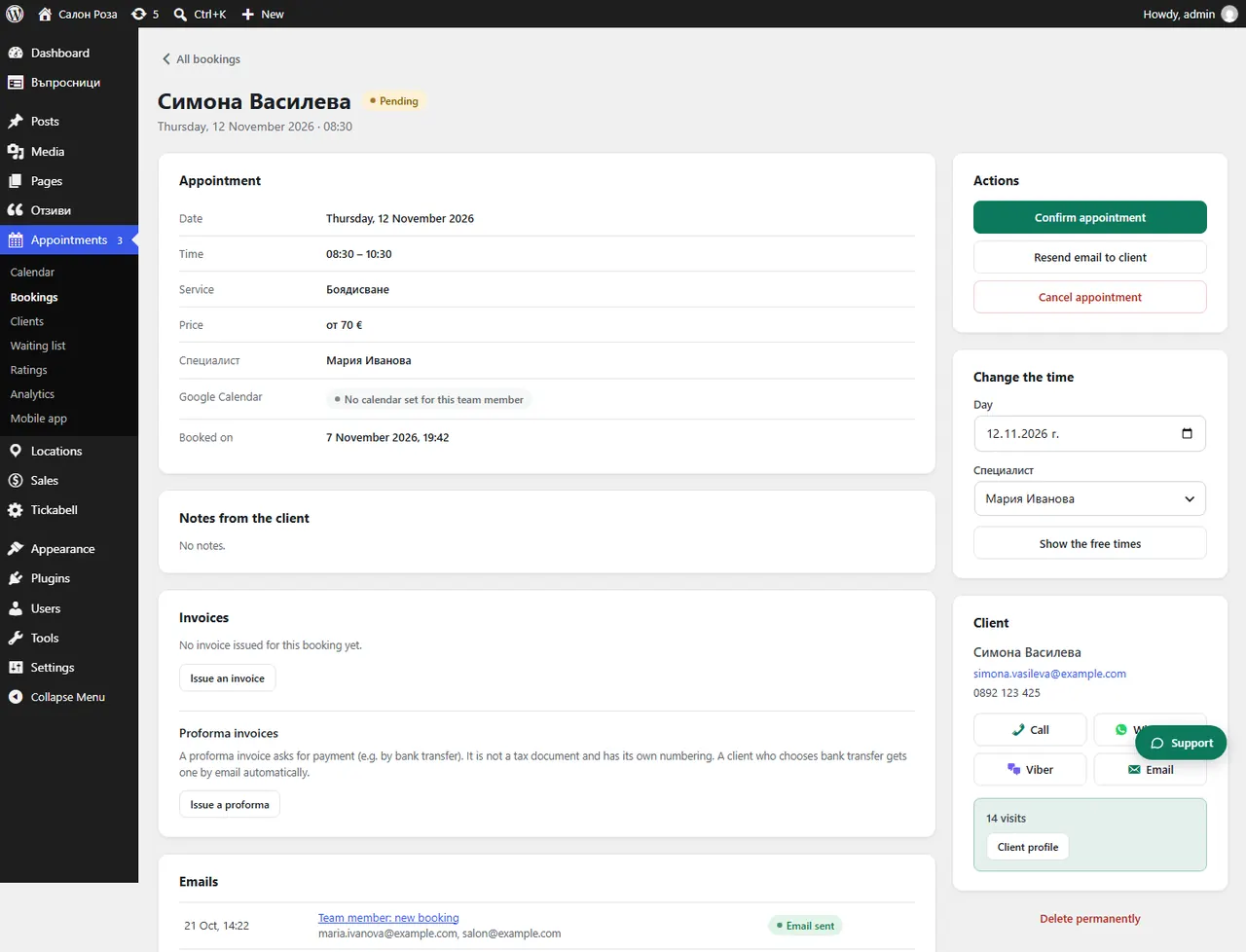
Invoices are issued from the booking. Open it and in the “Invoices” part press “Issue an invoice”.
Where: Appointments›Bookings›(booking)›Invoices
Steps
- First tick “Issue invoices” in Tickabell › Settings › Company & invoices.
- Open the booking in Appointments › Bookings.
- In “Invoices” press “Issue an invoice”.
- Choose the recipient, “Company” or “Private person”, and check the details, the description and the amount.
- Press “Issue invoice”. It gets the next number.
- Send it to the client with the send button.
Good to knowAn issued invoice cannot be changed or deleted. Corrections are made with a credit or debit note. All documents are in Sales › Invoices, with “Export for the accountant (CSV)”.
Related articles
- How do I issue a credit or debit note?
- How do I change the invoice numbering?
- How do I enter the company details?
Was this article helpful?