

How do I change a client's appointment time?
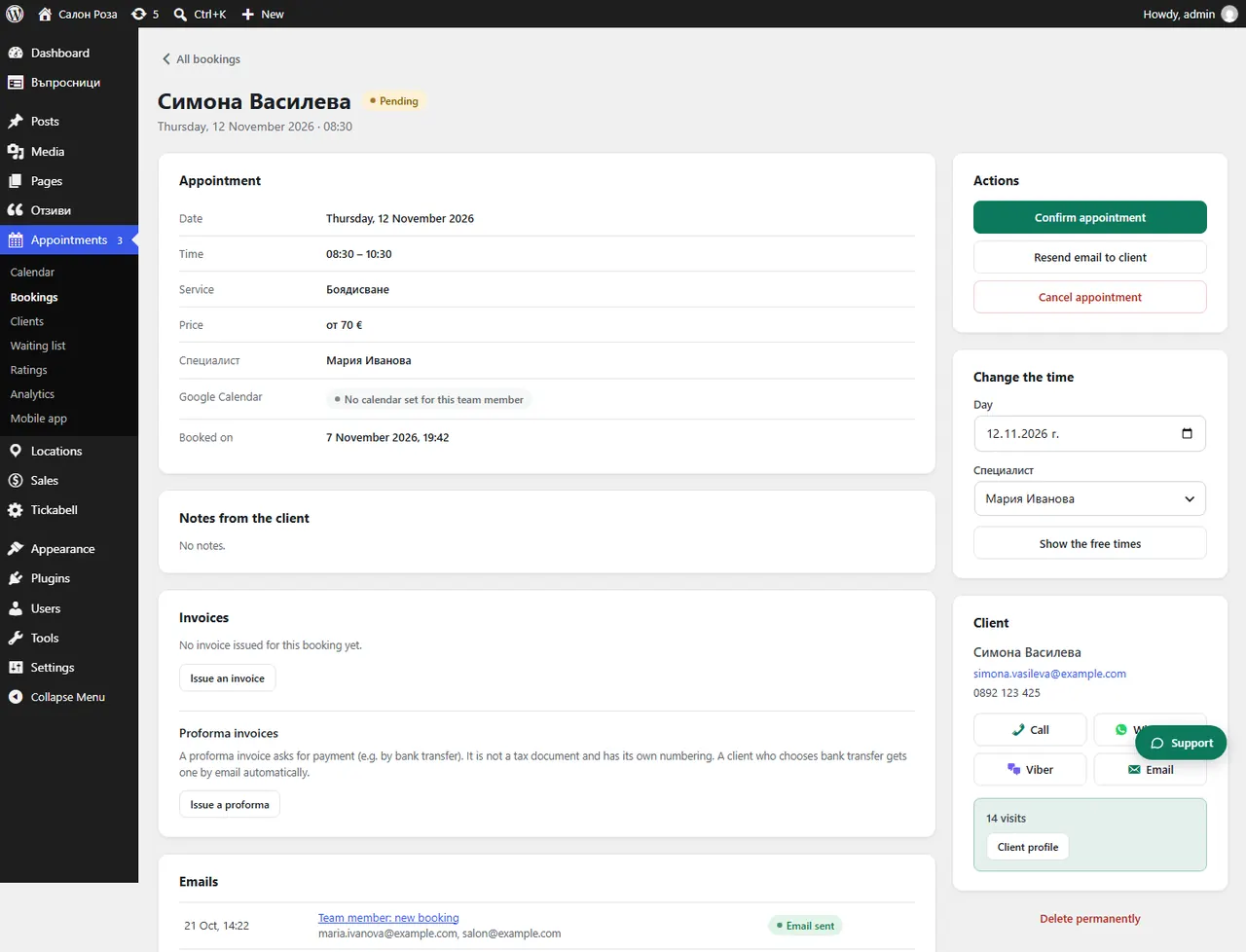
Open the appointment and use “Change the time”: choose a day, look at the free times and press “Move the appointment”.
Where: Appointments›Bookings›(booking)›Change the time
Steps
- Open the appointment from Appointments › Bookings.
- In “Change the time” choose a day and press “Show the free times”.
- Choose a free time. If you agreed another time by phone, enter it in “Another time”.
- Leave “Tell the client by email” ticked if the client should get the new time.
- Press “Move the appointment”.
Good to knowYou can also move appointments by dragging them in the calendar.
Related articles
- How do I move an appointment by dragging it?
- How do I let clients move or cancel their appointment themselves?
Was this article helpful?