

How do I find the clients with a birthday this month?
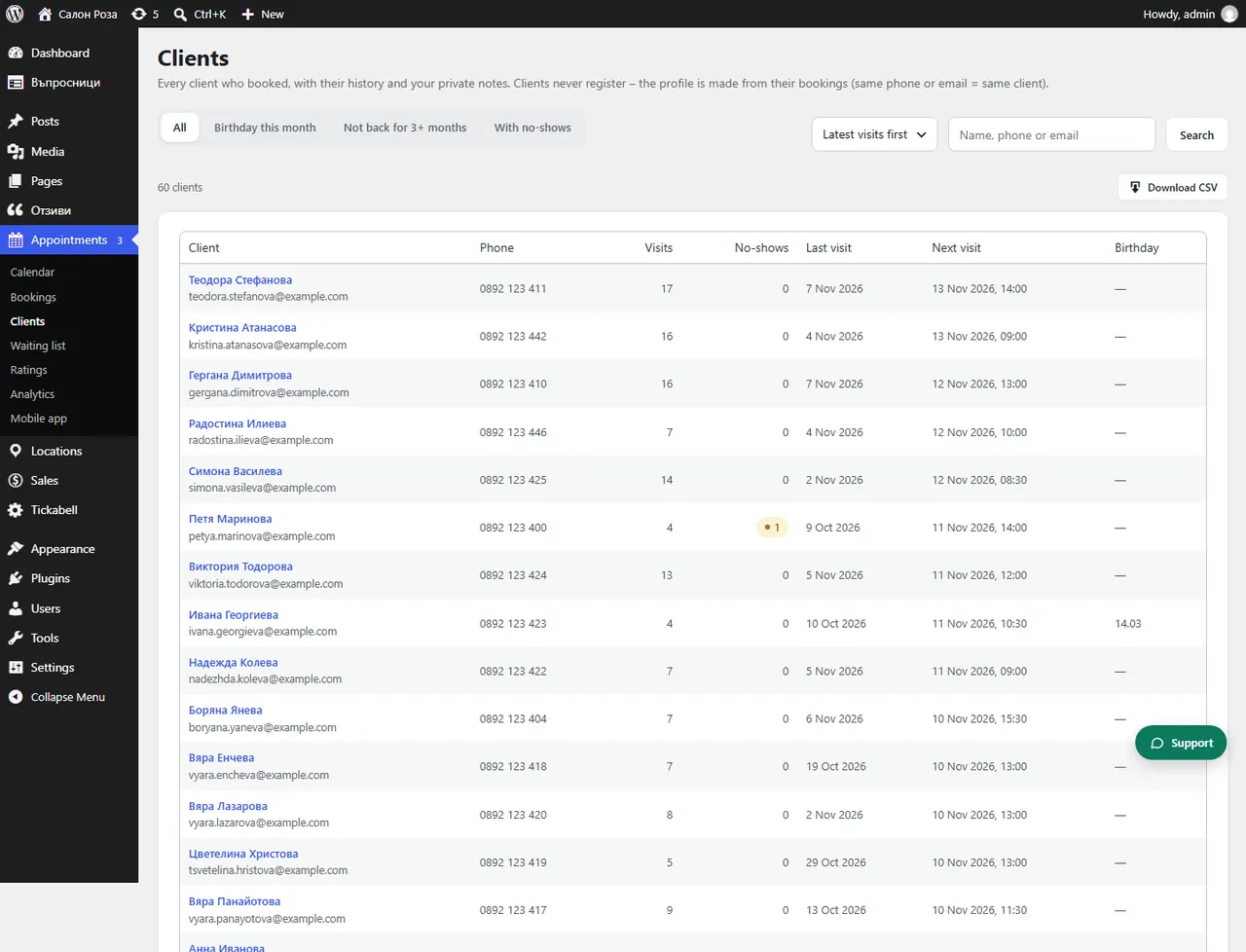
In Appointments › Clients choose the “Birthday this month” view.
Where: Appointments›Clients›Birthday this month
Steps
- Open Appointments › Clients.
- At the top choose “Birthday this month”.
Good to knowThe birthday shows only if the client has entered it. Switch on the birthday question in the form, and send the greetings automatically from Sales › Marketing › Birthday & consent.
Related articles
Was this article helpful?