

My website is behind Cloudflare. What do I choose for the IP address?
In Tickabell › Settings › Spam protection, under “Site is reached through”, choose “Cloudflare (CF-Connecting-IP)”. Otherwise all visitors look like a few Cloudflare addresses and the limit may block real clients.
Where: Tickabell›Settings›Spam protection›Site is reached through
Steps
- Open Tickabell › Settings › Spam protection.
- Under “Site is reached through” choose “Cloudflare (CF-Connecting-IP)”.
- Save.
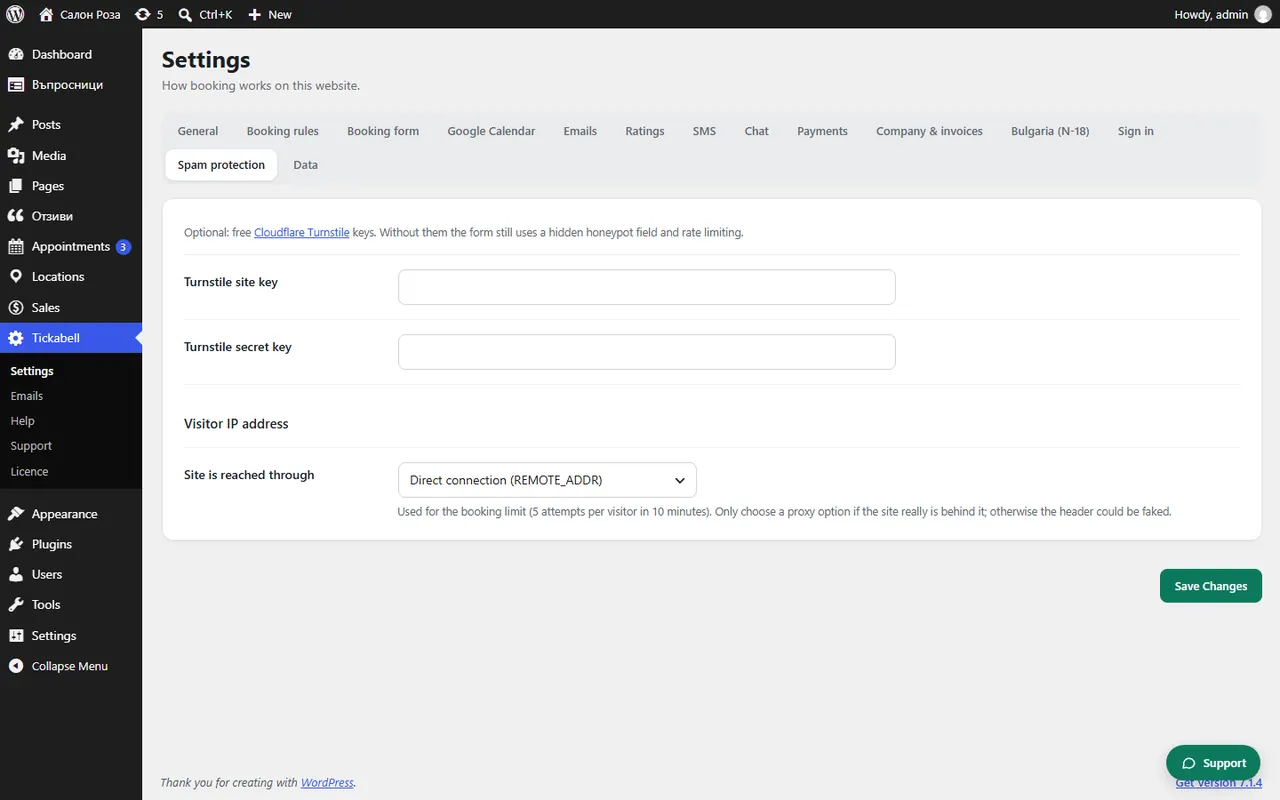
Good to knowChoose a proxy only if the website really is behind it, otherwise the address can be faked. If Tickabell notices Cloudflare, it shows a warning in Appointments.
Related articles
Was this article helpful?